
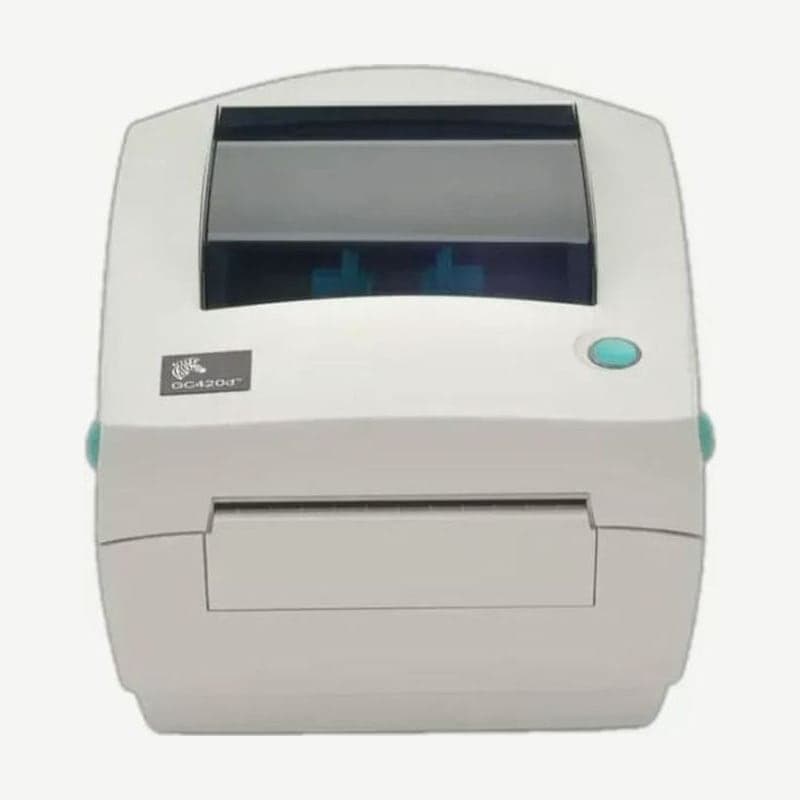
A direct thermal model used with serial scales and scanners
The GC420d is Zebra's entry-level 4-inch printer that prints on direct thermal media without a ribbon at 203 dpi, up to 4 ips (101.6 mm/s). The rear connectors are just three: USB, RS-232 serial, and IEEE 1284.4 parallel.
The serial port also supplies 5 V power, so when a KDU keyboard display unit, barcode scanner, or scale is plugged into the serial port, it recalls formats stored in the printer and prints them without a PC.
The RS-232 port missing from the ZD220 and ZD230D
Sales in Asia-Pacific ended on April 30, 2020 (January 31 in North America and Europe), and Zebra customer support also closed on June 30, 2023 (March 31 in North America and Europe). The successor designated by Zebra is the ZD200 series.
Of these, the ZD220 has the same 4 ips speed, but its only connection port is USB. The ZD230D is also configured as USB with Ethernet, Wi-Fi, or Bluetooth added at the factory, so it has no RS-232 port. Sites that used scales or KDUs over serial need to move to the ZD421, which takes an RS-232 module, to keep the same wiring.
EPL1 line mode and auto-run formats
It also includes a line mode that accepts EPL1 commands from the LP2022 and LP2042 era as they are. Enter it with the OEPL1 command and exit with escOEPL2; while line mode is on, ZPL and EPL2 formats are also processed as line mode data.
The formats that run automatically at power-on are AUTOEXEC.ZPL for ZPL and AUTOFR for EPL; if both files exist, only AUTOEXEC.ZPL runs. On this model, AUTOFR does not stop on XOFF (hex 13) as on other EPL printers; it is released by sending a NULL character (hex 00).
FEED button actions by number of flashes
With the power on and the cover closed, holding the FEED button makes the green indicator flash in groups: 1 flash, 2 flashes, and so on. Releasing it after the group you want and before the next group starts runs the action below.
| Flashes | Action |
|---|---|
| 1 | Print configuration status label |
| 2 | Automatic media calibration (feeds 1-4 labels) |
| 3 | Reset serial communication settings, autobaud |
| 4 | Factory reset, then calibration |
| 5 | Print width adjustment (prints boxes in 4 mm steps) |
| 6 | Print darkness adjustment (in steps of 4) |
| 7 | Manual calibration (prints sensor graph) |
The 7-flash manual calibration is for preprinted media or media printed on the liner, and doing it once turns off automatic calibration. When returning to ordinary labels, restore automatic calibration with the 4-flash factory reset.
39-inch label length detection distance
If the GC420d cannot find a label gap or black mark within 39 inches (about 1 m), it switches to continuous media (receipt) mode. If your longest label is 4 x 6 inches, reduce the detection distance to 12 inches with the ^ML command. Even when reducing it, do not go below twice the length of the longest label.
Drivers and user guide
Download the Windows driver and user guide from the GC420d drivers and manuals page. Create label formats with the free program Goodlabel Designer (free label design software); the GC420d's default print width is 832 dots (104 mm).



