
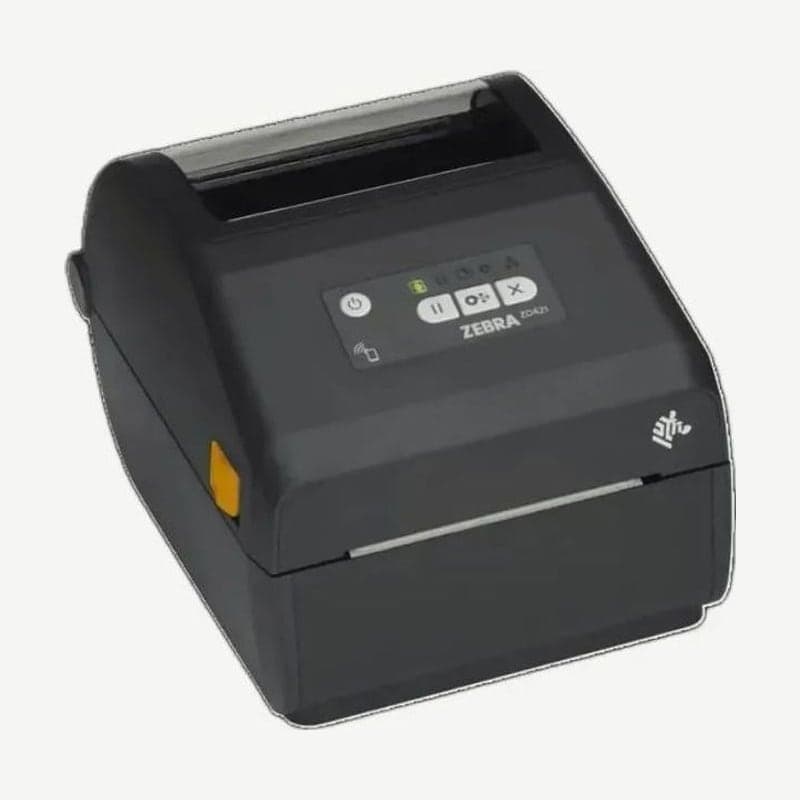
The ZD421 direct thermal model (ZD421d) is Zebra's current 4-inch desktop printer that prints without a ribbon. Media width is 15-108 mm, the 203 dpi print width is 104 mm, and speed is set in 5 steps from 51 mm per second (2 ips) to 152 mm (6 ips).
The standard ports are USB 2.0 and USB host, and Ethernet, serial, and wireless are field-installed modules fitted later, so when you need a network you just buy the module and fit it yourself without tools.
Media width of the 3 ZD421 series models
| Model | Print method | Media width | Size and weight |
|---|---|---|---|
| ZD421d | Direct thermal | 15-108 mm | 220.8 x 177.5 x 150.7 mm, 1.35 kg |
| ZD421t | Thermal transfer (ribbon roll) | 15-112 mm | 267 x 202 x 189 mm, 2.05 kg |
| ZD421c | Thermal transfer (ribbon cartridge) | 15-118 mm | 254 x 202 x 177 mm, 2.3 kg |
4 field-installed connectivity modules
Wired modules go into the single module slot at the back, so choose one of 10/100 Ethernet (RJ-45, internal print server) or RS-232 serial (DB-9). To fit one, unplug the DC power plug from the back panel and press the top of the module cover with your fingertip to open it, exposing the slot.
Wi-Fi modules go inside the bottom cover, and there are two types, a Wi-Fi 802.11ac + Bluetooth 4.2 module and a Wi-Fi 802.11ax + Bluetooth 5.3 module, making 4 modules in all with the 2 wired ones. On a printer with a module installed, setting the module's power loss recovery jumper to ON makes the printer turn on automatically the moment AC power is supplied; the factory setting is OFF.
Cable specs and serial communication settings
- Ethernet uses CAT-5 or better UTP (RJ-45) cable.
- The serial cable must have a 9-pin male (DB-9P) connector on one end to plug into the female (DB-9S) port on the printer's back panel, and must be wired null-modem (crossover).
- The factory serial settings are 9600 bps, 8 bits, no parity, 1 stop bit, and XON/XOFF; if the PC's baud rate or flow control differs, data does not get through.
- Do not use RS-232 DTE/DCE conversion dongles; some dongles interfere with devices plugged into the USB host port when the printer turns on.
Use shielded data cables with metal-covered connectors, keep them as short as possible (1.83 m recommended), and do not bundle them with power cords.
ZD421 driver installation order
Install the Windows driver first with the Zebra installation tool (ZSU), and turn on the printer when the wizard tells you to. Connect cables with the printer power off, plugging in the power cord first and then the communication cable. If the order is reversed and power comes first, the printer shows up as an Unspecified item in the Windows device list; remove that item and then set up the driver again.
The old EPL1 line mode works only on the direct thermal 203 dpi model of the ZD421. Files are at ZD421 download.



