
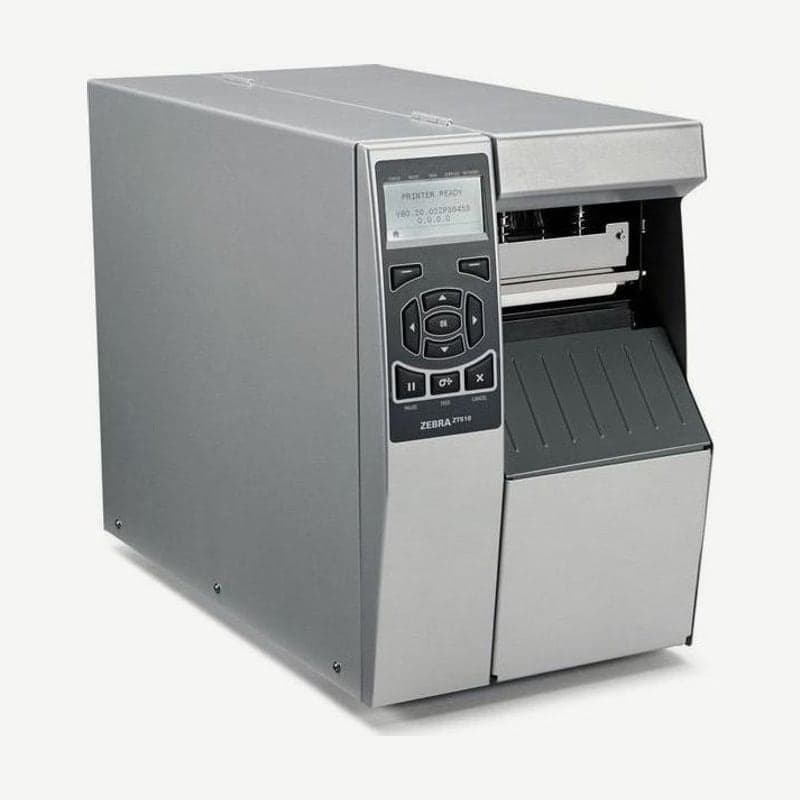
A 4-inch industrial model following the 105SL and 105SLPlus
The ZT510 is a 4-inch industrial printer that prints up to 104 mm wide, and it is the model Zebra designated as the successor to the discontinued 105SL and 105SLPlus. Support for the 105SL ended on September 30, 2018, and for the 105SLPlus on May 2, 2023 (March 31, 2025 in Asia-Pacific).
It comes in two resolutions, 203 dpi and 300 dpi. The unit measures W 268.2 x D 512.3 x H 395.7 mm and weighs 22.7 kg.
A control panel operated with buttons
The control panel has 5 indicators (STATUS, PAUSE, DATA, SUPPLIES, NETWORK) and 10 buttons next to the display. It is not a touch display; menus are navigated with 4 arrow buttons and an OK button, and the 2 left and right select buttons run the command shown on the display just above them.
In the paused state, pressing CANCEL once deletes the next format, and holding it for 2 seconds deletes all queued formats. Each press of FEED feeds out one blank label.
Speed and registration accuracy by resolution
| Item | 203 dpi | 300 dpi |
|---|---|---|
| Print speed | 51-305 mm/s (2-12 ips) | 51-254 mm/s (2-10 ips) |
| Narrowest barcode bar | 4.9 mil | 3.3 mil (3.9 mil rotated 90°) |
| Max continuous print length | 3,810 mm | 2,540 mm |
| First dot position | 3.5 mm (±1.25 mm) | 2.1 mm (±1.25 mm) |
Vertical registration accuracy is ±0.75 mm at 6 ips (152 mm/s) or less, and doubles to ±1.5 mm above that. Horizontal accuracy is ±1.5 mm regardless of speed. If the print position on the label is tight, set the speed to 6 ips or less.
Two tests to tell which side of the ribbon is coated
The standard spindle takes only ribbons wound coated side out. Ribbons wound coated side in need the optional spindle, so if you do not know which a new ribbon is, check as follows.
- If you have labels, peel one off, press a corner of the adhesive side against the outer surface of the ribbon roll, and pull it away. If ink powder comes off onto the label, it is coated on the outside.
- If you have no labels, unwind a little ribbon, lay the outer surface against paper, and scratch the inner surface with a fingernail. If a mark is left on the paper, it is coated on the outside.
Ribbon width is 20-110 mm and length is up to 450 m; load a ribbon as wide as or wider than the label so the head's heating elements do not wear directly against the label surface.
Cutter configuration and cleaning intervals
The cutter cuts media up to 0.23 mm thick, and when caught in the catch tray, labels must not exceed 216 mm in length. In delayed cut mode, the last label is cut after receiving the ~JK command.
Clean the cutter with 99.7% isopropyl alcohol every roll when cutting pressure-sensitive continuous media, and every 2-3 rolls when cutting tag stock or liner. Clean the head every roll of media in direct thermal mode and every roll of ribbon in thermal transfer mode.
Connection ports
USB 2.0 (cable up to 5 m), RS-232 serial (null-modem cable, up to 15.24 m), Gigabit Ethernet, Bluetooth LE, and NFC are standard. The USB host port is optional and accepts USB memory up to 1 TB and a USB keyboard. The wireless LAN card fits only in the upper option slot, and a second wired print server goes in the lower slot. The driver and manuals are on the ZT510 driver download page.



