
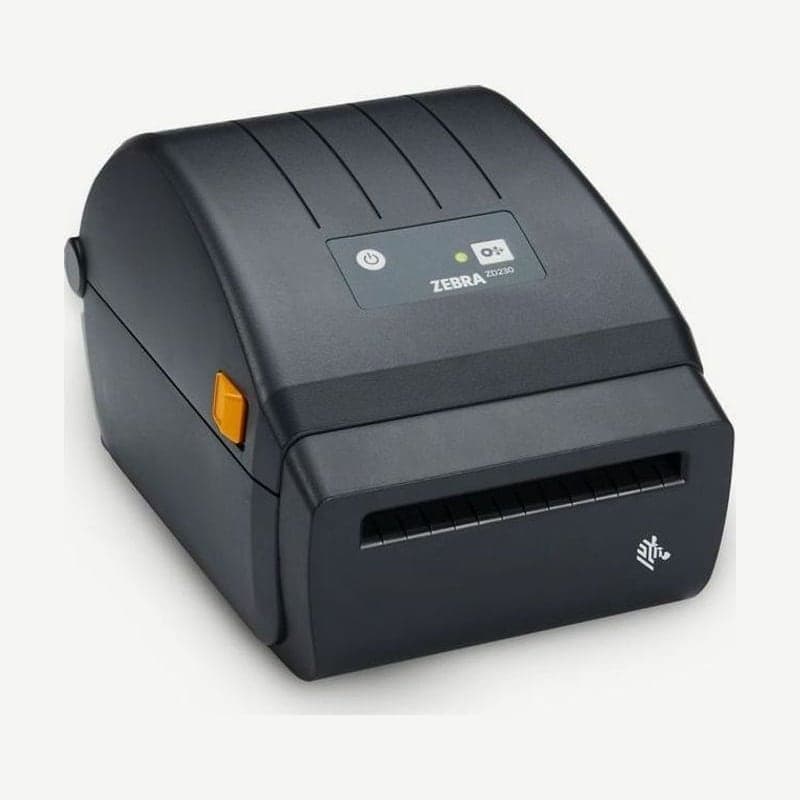
The ZD230DA is a 4-inch direct thermal printer that takes no ribbon, so it is used to print labels such as parcel waybills that the recipient soon removes and throws away. The only consumable is a roll of direct thermal labels; at 203 dpi, the print width is 104 mm and speed is up to 152 mm/s.
Direct thermal media can turn black with long exposure to direct sunlight or heat, so for labels that will stay on for a long time where sunlight or heat reaches them, the ZD230TA, which uses a ribbon, is the right fit. The ZD230DA has a single USB 2.0 connection and its only connection option is USB-serial, so if you plan to use it from several PCs over LAN or Wi-Fi, choose the ZD230D, which has factory-installed connectivity options.
ZD230DA and ZD230TA compared
| Item | ZD230DA (direct thermal) | ZD230TA (thermal transfer) |
|---|---|---|
| Consumables | Direct thermal labels | Labels and ribbon (74 m or 300 m) |
| Dimensions and weight | 220 x 180 x 150 mm, 1.2 kg | 267 x 202 x 192 mm, 1.8 kg |
| Printing on direct thermal media | Yes | Yes, with the ribbon removed |
| Resolution and speed | 203 dpi 102 or 152 mm/s, 300 dpi (optional) 76 or 127 mm/s | |
Scratch test to tell whether media is direct thermal
When you are not sure whether labels you received are direct thermal, scratch the print surface hard and fast with a fingernail or a pen cap. If a black line appears from the friction heat, it is direct thermal media that goes straight onto the ZD230DA; if no mark appears, it is thermal transfer media that needs a ribbon and will not print on this model.
Specifications for loading 4-inch waybill rolls
Rolls that fit the ZD230DA are up to 127 mm OD, with 12.7 mm and 25.4 mm core inner diameters as standard. 38.1 mm cores need the optional adapter. Media thickness is 0.06-0.1905 mm, and label length is used in the 25.4-990 mm range.
When you take out a new roll, peel off one outer turn before loading. This keeps dust picked up during packing and shipping from transferring to the head.
If you switch to a roll that differs in any of size, manufacturer, or batch, run SmartCal calibration again; the button operation is the same as the ZD220, releasing FEED after 2 flashes.
Fanfold waybill media
- Open the top cover and turn the gold wheel to set the media guide spacing to the width of one fanfold sheet. Turning the wheel away from you (toward the back) widens it, and turning it toward you narrows it.
- Feed the media through the slot at the back of the printer and pass it between the guides and the roll holders.
- Close the cover and press FEED once to see that one sheet comes out.
Storing direct thermal labels
Keep remaining label rolls in their packaging, open them just before loading, and store them in a cool, dark place. Next to direct sunlight or a heater, media can turn black before it is even printed. Do not keep them on the same shelf as detergents or chemicals, and use labels with an expiration date starting from the oldest rolls.
Drivers and user guides are on the ZD230DA download page, and 4-inch label layouts other than waybills are made with Goodlabel Designer (free label design software).



