
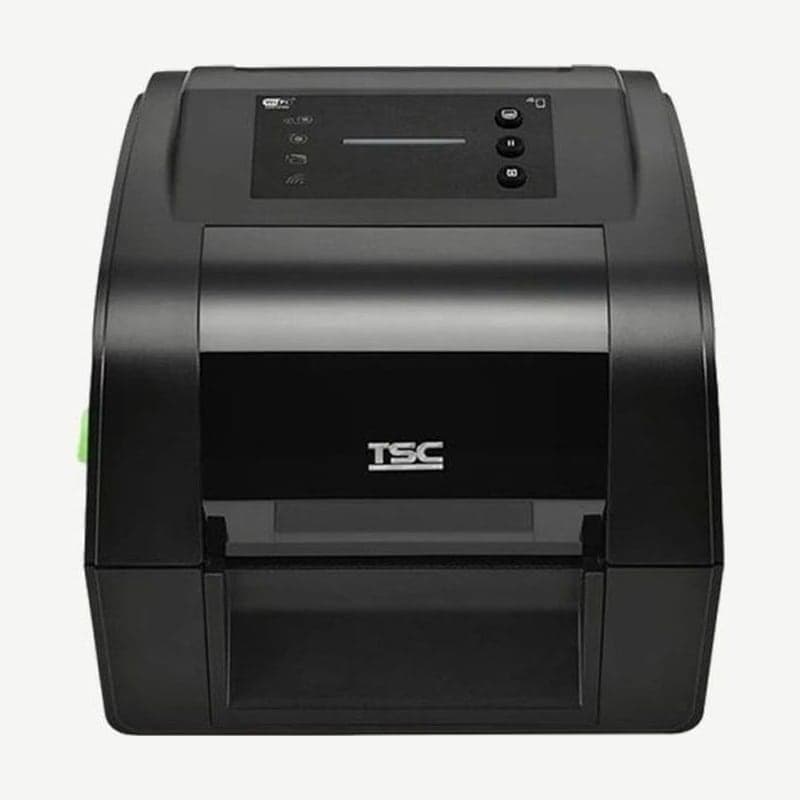
The TH240 is a TSC 4-inch desktop printer that prints thermal transfer with a ribbon loaded and direct thermal with the ribbon removed. It prints at 203 dpi at up to 203 mm per second and up to 108 mm wide, and it can take a 300 m ribbon on a 1 in core, so ribbon changes are far apart.
Its speed, resolution, and print width are the same as its direct thermal sibling, the DH240. What differs is the ribbon compartment, the ribbon end sensor, and the care label cutter option, and the body grows accordingly to 223 x 186 x 286 mm and 2.8 kg.
TH240 ribbon specs
| Ribbon core | Length | Max OD |
|---|---|---|
| 1 in | 300 m | 67 mm |
| 0.5 in | 110 m | 40 mm |
Both are ribbons with the ink coated on the outside, and width is 40-110 mm. Criteria for choosing the ribbon material for the TH240 to match your labels are covered in Thermal transfer ribbon types.
Ribbon loading steps
- Pull the release latches on both sides to open the top cover, then open the ribbon cover.
- Fit a core adapter onto the included 1 in paper rewind core, push the right end of the core onto the spring spindle, then align the left end with the spindle hub. The square tab on the adapter must engage the left spindle.
- For a ribbon on a 1 in core, fit a core adapter onto the ribbon core as well and load it into the supply compartment the same way. A ribbon on a 0.5 in core is loaded without an adapter.
- Peel the adhesive strip from the front of the ribbon roll and attach it to the rewind core.
- Turn the gear in the indicated direction until the ribbon fully covers the head with no wrinkles, then close both covers.
Ribbon remaining indicator
On units sold in Korea, which have no LCD, the ribbon status is shown by the Ribbon Out indicator among the 4 icon indicators. Blinking means the ribbon roll is running out, and solid means it is used up. When the ribbon runs out or media jams, the single status LED blinks red.
Care label and peel-off conditions
The care label cutter (full cut), which cuts care labels one at a time, is a dealer option available only on the TH240 series and is not fitted to healthcare models.
With the peel-off module, speed drops to 76 mm per second and label length becomes 25.4-152.4 mm. When using peel-off or the standard cutter, media width narrows to 15-112 mm including the liner.
Security settings for company networks
When connecting the TH240 to a company LAN, set up HTTPS, SNMPv3, 802.1X authentication, and a TCP/IP port 9100 filter to restrict access. Wired LAN is 10/100 Mbps, and to connect wirelessly, add the Bluetooth 5.0 combo module with Wi-Fi from a dealer.
TH240 driver files are collected on the TH240 download page. Layouts for ribbon printing are created in Goodlabel Designer (free label design software) on a PC with the driver installed.



