
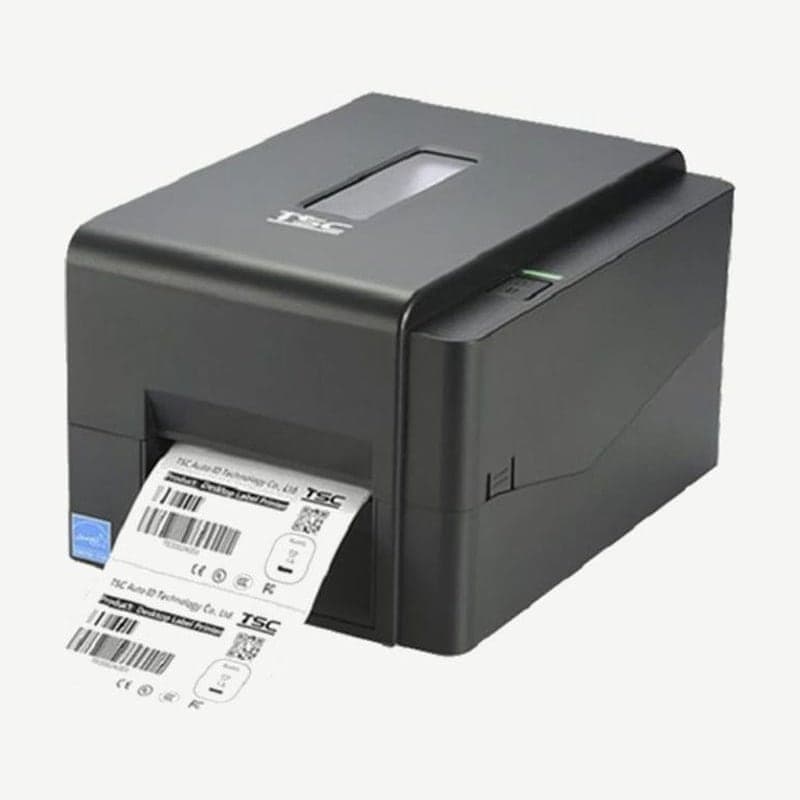
The TE310 is the 300 dpi model in the TE200 series and prints 12 dots per mm, each dot 0.084 mm. Its dots are smaller than the 0.125 mm dots of the 203 dpi TE210, so it fits finer lines and smaller text in the same area.
In exchange, its max speed of 127 mm per second is 25.4 mm lower than the TE210 (152.4 mm), and its max single-label length of 11,430 mm is shorter. The body size (204 x 164 x 280 mm), 2.5 kg weight, and Ethernet, RS-232, and USB host configuration are the same as the TE210.
TE series 300 dpi and 203 dpi models compared
| Item | TE310 | TE210 | TE300 |
|---|---|---|---|
| Resolution and dot size | 300 dpi, 0.084 mm | 203 dpi, 0.125 mm | 300 dpi, 0.084 mm |
| Max speed | 127 mm/s | 152.4 mm/s | 127 mm/s |
| Max print width | 105.7 mm | 108 mm | 105.7 mm |
| Max print length | 11,430 mm | 25,400 mm | 1,016 mm |
| Interfaces | USB, Ethernet, RS-232, USB host | USB, Ethernet, RS-232, USB host | USB |
Of the three models, the TE210 prints the longest labels, and the TE310 and TE300 print the finest lines with the same 0.084 mm dots.
Labels that call for the TE310
A bar or stroke 1 mm wide is filled with 12 dots on the TE310 and 8 dots on the TE210. For labels that carry both text and barcodes on one label, such as price tags, jewelry tags, and pharmacy and specimen labels, compare the two models based on the finest line and smallest text.
Peel-off and cutter option conditions
Peel-off mode is available only on the TE210 and TE310, and with the peel-off module, a dealer option, speed drops to a maximum of 3 ips.
The dealer-option guillotine cutter comes in 2 types, full cut and full/partial cut, and cuts receipt paper and label liner without adhesive 0.06-0.19 mm thick. The RS-232 port connects the KP-200 Plus keyboard display unit or an external Bluetooth module as user options.
Ribbon and media
It loads ribbons with the ink coated on the outside, 300 m on a 1 in core or 110 m on a 0.5 in core, 40-110 mm wide. Media is accepted at 20-112 mm wide, 0.06-0.19 mm thick, and from 5 mm long, and continuous, die-cut, black mark, fan-fold, and notched media are supported. Criteria for choosing ribbon material are in Thermal transfer ribbon types.
To create 300 dpi layouts in Goodlabel Designer (free label design software), first download and install the driver from the TE310 download page.



