
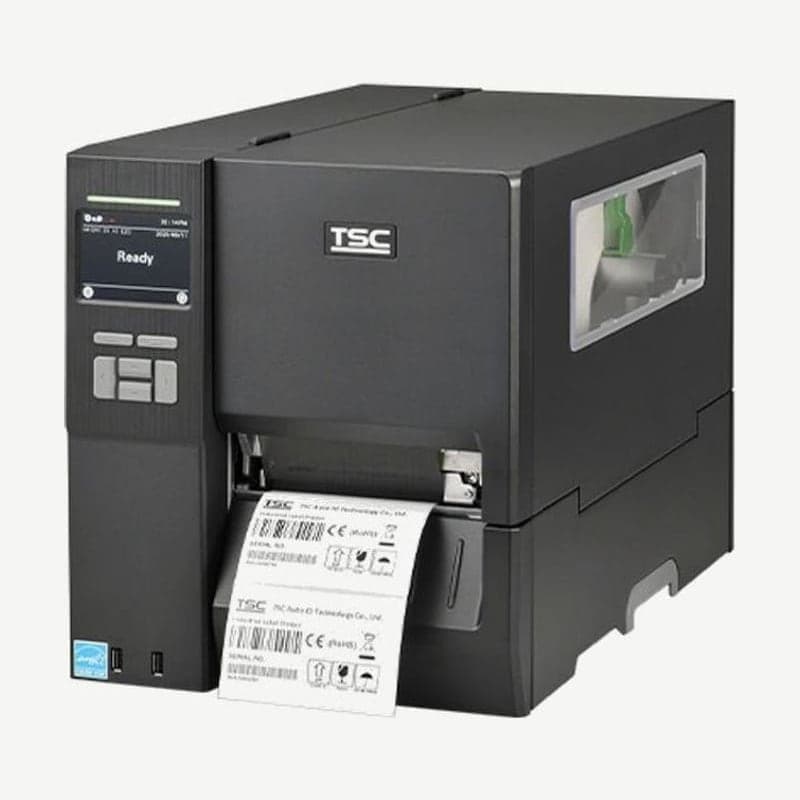
The MH641 is a 600 dpi industrial printer that prints 24 dots per mm, a dot pitch of about 0.042 mm. It has the finest dots in the MH series, but in exchange it is the slowest and shortest, with a max speed of 152 mm per second and a max single-label length of 2,540 mm.
Its body and supply specs are the same as the MH241 and MH341, so it loads a 600 m ribbon and a 203.2 mm OD roll and prints up to 104 mm wide. Its max single-label length of 2,540 mm is one tenth of the MH241 (25,400 mm).
Dot pitch and speed by resolution
| Model | Dots per mm | Dot pitch | Max speed | Default speed |
|---|---|---|---|---|
| MH241 | 8 | About 0.125 mm | 356 mm/s | 6 ips |
| MH341 | 12 | About 0.083 mm | 305 mm/s | 4 ips |
| MH641 | 24 | About 0.042 mm | 152 mm/s | 3 ips |
MH641 speed is selected between 1 and 6 ips. The default of 3 ips is about 76 mm per second, so raising it to the max of 6 ips prints the same label twice as fast.
Format Convert for moving 203 dpi formats to 600 dpi
When sending a ZPL format made for a 203 dpi printer to the MH641, select 200→600 under Format Convert in the ZPL2 settings. This scaling setting enlarges bitmaps at the original resolution 3 times to fit 600 dpi, and it is set to None at shipment.
For 300 dpi formats select 300→600, and for 150 dpi formats select 150→600. Settings sent from the driver or another program override settings made on the MH641 panel.
Finding bad head dots with TPH Care
Bad dots on the MH641 head are checked in 4 steps on the TPH Care screen of TSC Console on a PC.
- Turn on TPH Care. It is off at shipment.
- Click Get TPH care profile to load the head graph. If the graph is flat and the bad dot count is 0, the head is normal.
- If a sharp peak appears on the graph, there is a suspected damaged dot at that position.
- If you set a bad dot count threshold, the printer stops printing when the count is exceeded.
A head odometer (TPH odometer) is also included and records the length the head has printed. Have a head with bad dots inspected at the Wooju OA service center in Korea.
Connectivity and driver
The MH641 has 2 USB host ports on the front for a scanner and keyboard, and the PC connection is chosen from RS-232, USB 2.0, and 10/100 Mbps Ethernet. When designing 600 dpi layouts in Goodlabel Designer (free label design software), first install the driver from the MH641 download page and set the resolution to 600 dpi.



