
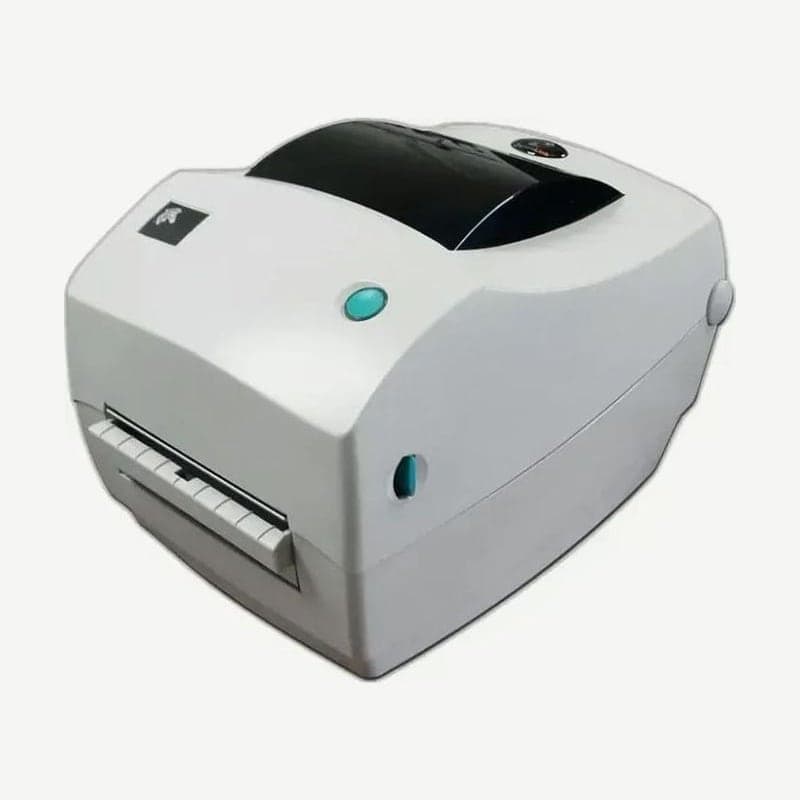
The LP2844-Z is a Zebra direct thermal desktop printer that runs on ZPL II commands. The similarly named LP2844 is an EPL2 model, so if your formats are written in ZPL, this model with the -Z is the right one.
The back has USB 1.1 and RS-232 serial in common, plus either 36-pin parallel or ZebraNet PrintServer II Ethernet. Linerless labels with no liner are used only on direct thermal LP models fitted with a silicone platen.
Functions by FEED button flash count
The LP2844-Z's controls are only a power switch, the FEED button, and a status indicator, so settings are also made with the single FEED button. With the power on and the cover closed, hold the button for a few seconds and the green LED flashes in groups that increase one at a time; release the button the moment the group you are counting ends, and the function for that count runs.
| Flashes | When released |
|---|---|
| 1 | Print configuration label |
| 2 | Media sensor calibration, print sensor profile |
| 3 | Reset communication settings or auto baud detection |
| 4 | Reset to factory defaults, then auto calibrate and save |
| 5 | Print width adjustment (FEED when the overprinted rectangle reaches the label edge) |
| 6 | Print darkness adjustment (FEED at the desired darkness among 9 samples from lightest up) |
If you keep holding after 7 flashes, the printer ignores that button input even when released. With the power off, hold the FEED button and turn it on, and the 2844-Z prints a configuration label and then enters communication diagnostics mode, printing received data literally; turn the power off and on to exit.
How automatic and manual calibration relate
When the LP2844-Z is turned on with media loaded or a media error is cleared, it sets its sensors and measures label length on its own. For media that automatic calibration does not handle well, such as printed liners or preprinted labels, use the flash-2 manual calibration.
Once manual calibration is done, it no longer auto calibrates at power-on. To return to automatic calibration, do the flash-4 factory reset.
ZPL setting save commands (~JL, ^SC, ^JUS) and serial wiring
Label length is changed with the ~JL command and communication settings with the ^SC command; to keep changed settings through a power cycle, send ^XA^JUS^XZ to save them to flash memory.
The 2844-Z serial default communication conditions are 9600 bps, 8 data bits, no parity, 1 stop bit, and XON/XOFF flow control. Connect to DTE devices such as a PC with a null modem (crossover) cable, and to DCE devices such as a modem with a straight-through cable. Current drawn through the serial and parallel ports combined must not exceed 0.75 A.
Moving serial conditions set with ^SC to the ZD230DA
The ZD200 series accepts ZPL, so ZPL II formats for the LP2844-Z are sent without changes. What matters when moving over is serial connections wired with a null modem cable. The direct thermal model ZD230DA has a single standard connection, USB 2.0, so to keep attaching serial equipment, also order the USB-serial item from the spec sheet's option list and match the new connection to the baud rate and parity changed with ^SC on the LP2844-Z. If you plan to share it over the LAN instead of serial, choose the ZD230D, which has Ethernet installed at the factory, and move PCs that used a parallel cable to USB.



