
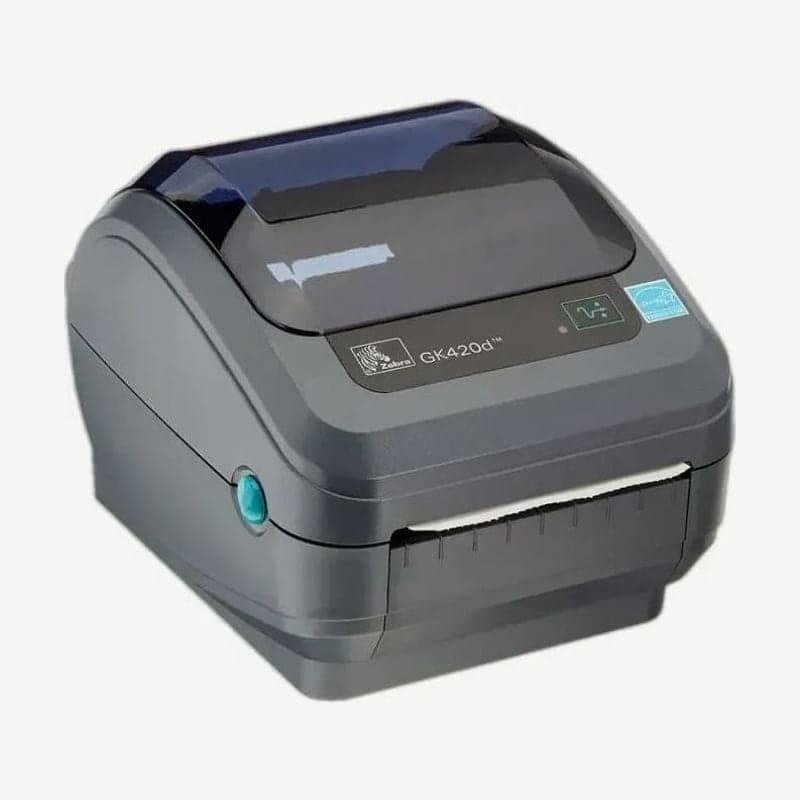
The GK420d and its factory-installed Ethernet option
The GK420d is a 4-inch desktop printer that prints on direct thermal media at 203 dpi without a ribbon. Its standard ports are USB, RS-232, and IEEE 1284.4 parallel; on Ethernet models with the ZebraNet 10/100 internal print server installed at the factory, a LAN port replaces the serial and parallel ports, leaving only USB and Ethernet.
A GK420d with the print server prints one more network configuration label when the ~WL command is sent, and the IP address also appears at the bottom of the regular configuration label printed with FEED. Entering the IP in a web browser's address bar opens the settings page.
LAN connection status from the RJ-45 port indicators
When a CAT-5 or better UTP LAN cable is plugged in, the 2 green and amber indicators on the RJ-45 connector show the link speed and transmit/receive status.
| Indicator | Status |
|---|---|
| Both off | No LAN connection |
| Green | 100 Mbps link |
| Green + blinking amber | 100 Mbps link, data transmitting or receiving |
| Amber | 10 Mbps link |
| Amber + blinking green | 10 Mbps link, data transmitting or receiving |
9-pin serial and 25-pin parallel cable compatibility
The GK420d's 9-pin serial port is built to accept both the Zebra-standard null modem (crossover) cable and the straight-through cable for older DCE printers that used EPL. It is designed with moving the serial cable over as it is in mind when replacing an old printer with the GK420d.
The parallel cable is IEEE 1284 A-B, with DB-25 on the PC side and Centronics on the printer side. Early G-Series printers used A-A cables with DB-25 on both ends, so check the connector shape before moving an old cable over.
Large rolls on an external stand
Zebra did not release a separate external media stand for the G-Series, and large rolls are fed through the rear fanfold feed slot. The GK420d motor has 30% more torque than 2800 Series desktops, but a large roll has the most inertia when it first starts turning, so there is a risk of the motor stalling. When printing from an external roll, lower the print speed and position the stand so the roll does not touch the unit or pull the unit up.
The ZD421d module slot and ZD621d standard ports
GK420d sales ended first in Asia-Pacific on December 31, 2021, and January 31, 2022 was the last date for North America, Europe, and Latin America. Zebra service and support closed on February 28, 2025 in Asia-Pacific and April 30, 2025 in other regions.
The designated successor, the ZD421d, has USB as standard, and only one of Ethernet or RS-232 serial fits in the single rear module slot. If LAN and a serial scale must be connected to one unit together, choose the ZD621d (Ethernet, serial, and USB standard), where this combination, not available even on the GK420d Ethernet model, is standard. Drivers and user manuals are on the GK420d download page.



