
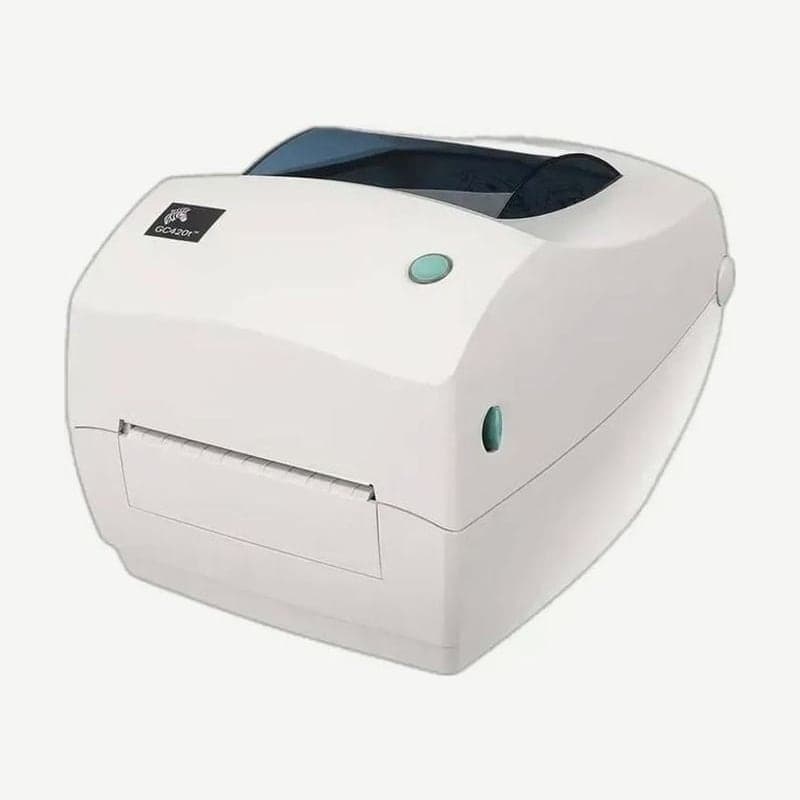
A ribbon carriage that folds with the cover
The GC420t is a 203 dpi 4-inch desktop printer that prints thermal transfer with a ribbon loaded and direct thermal without one. When closing the cover, press to release the kick-stand-shaped cover lock and lower it, and the ribbon carriage folds back up into place on its own.
Uni-Ribbon has a reflective trailer at its end, so when the roll runs out, the GC420t reads the trailer and stops with the indicator lit red. Turning off the power at this point erases the print data it has received, so keep the power on, change to a new ribbon roll, and continue printing with the FEED button.
4 Uni-Ribbon color codes and speed limits
Zebra Uni-Ribbon identifies its material by 4 leader colors, and for the 2 resin types (5095 and 5100), a separate maximum speed on the ribbon side is set depending on the media.
| Leader color | Ribbon (part number) | Ribbon-side speed limit |
|---|---|---|
| Blue | Performance wax (5319) | - |
| Silver | Premium wax/resin (3200) | - |
| Gold | Performance resin (5095) | Synthetic 6 ips, coated paper 4 ips |
| Red | Premium resin (5100) | Synthetic 4 ips |
Load a ribbon wider than the media. If the media is wider than the ribbon, the part of the head not covered by the ribbon rubs directly on the media and wears. The uses of the 5319, 3200, 5095, and 5100 materials are covered separately in thermal transfer ribbon types.
GC420t ribbon loading steps
- Insert the new ribbon roll between the ribbon carriage, press the right side onto the spring spindle, then turn the left core notch to align with the supply hub and fit it.
- Fit an empty core onto the take-up spindle and turn it until the notch engages the left hub. The first empty core comes in the product box; after that, reuse the used supply core.
- Attach the ribbon to the empty core with the adhesive strip on its leader, or tape it straight if there is no adhesive strip.
- Turn the take-up gear with the top moving toward the back (counterclockwise) to take up slack in the ribbon.
- Close the cover and feed 10 cm or more of media with the FEED button to smooth out ribbon wrinkles.
- Change the print method to thermal transfer with the driver or the ZPL ^MT command, and check that the PRINT METHOD item on the configuration label prints as THERMAL-TRANS.
Head cleaning every ribbon roll
When printing with a ribbon, clean the head every time a ribbon roll is used up; when printing direct thermal, every roll of media. Cleaning pens (part number 105950-035) come in sets of 12; after the head has cooled for 1 minute, rub from the center outward.
The 74 m ribbon of the ZD220 thermal transfer model
GC420t sales ended on April 30, 2020 in Asia-Pacific and January 31 of the same year in North America and Europe. The manufacturer service and support deadline is June 30, 2023 in Asia-Pacific and March 31, 2023 in North America and Europe, and the designated successor is the ZD200 series.
The successor ZD220 thermal transfer model takes 74 m ribbons (33.8-109.2 mm wide) on a 12.7 mm inner diameter core, and its connection is USB only. GC420t drivers and the user guide remain on the GC420t download page.



