
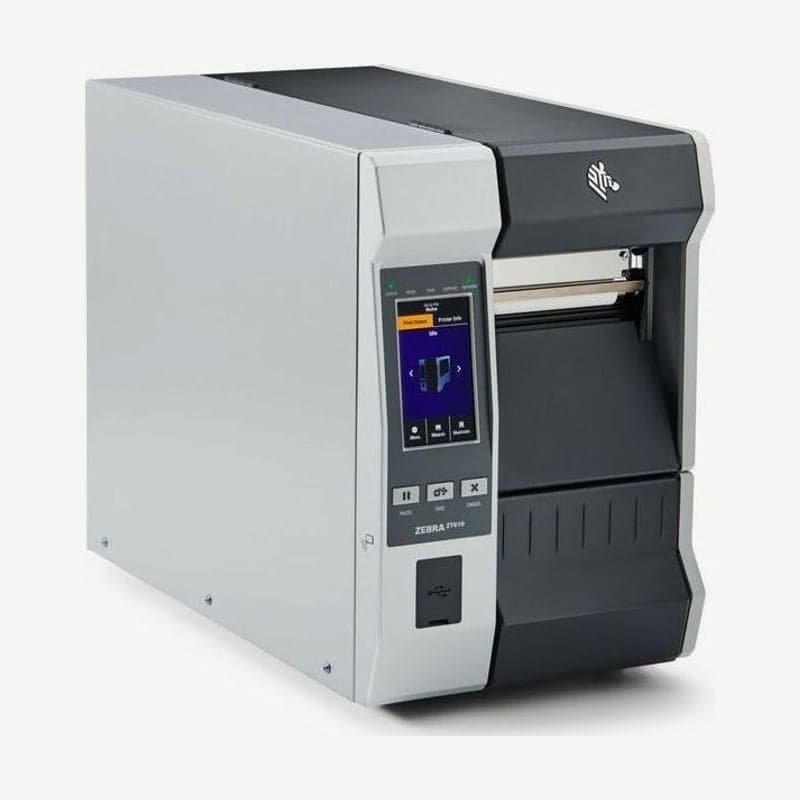
The ZT610 with a UHF RFID encoder
The ZT610R is a ZT610 configuration with a UHF RFID encoder, available on the 203, 300, and 600 dpi models. While printing a barcode on a label, it writes EPC data to the tag inside. It encodes tags to the EPC Gen2 V2.1, ISO/IEC 18000-63, and RAIN RFID standards, and the radio module is the M6e in the 865-928 MHz band.
The encoder is an integrated unit inside the printer, so it is added in the field to an existing ZT610. The only excluded configuration is the 600 dpi micro label model, and the RFID option is also available on the 6-inch ZT620.
Tag calibration steps when first loading RFID labels
- Load the roll of labels containing tags and finish media and ribbon calibration first.
- Close the head and feed at least one label so calibration starts in the right position.
- Leave the tags before and after the tag being calibrated in place without removing them. They are needed to find settings that do not also encode the neighboring tags.
- Pull a little media out the front of the printer to allow for the amount the label is pulled back (backfeed) during calibration.
- Run RFID CALIBRATE from the menu, and the printer sets the programming position, antenna (one of A1-E4), and read and write power (0-30) on its own.
Settings to change manually when calibration results do not fit
| Menu | Setting range |
|---|---|
| RFID PROGRAM POS. | F0 up to label length (mm) forward (999 max), B0-B30 backward |
| RFID ANTENNA | A1-E4 (columns A-E x positions 1-4, 20 in all) |
| RFID READ POWER · WRITE POWER | 0-30 each |
| READ RFID DATA | First 128 bits of EPC, first 32 bits of TID, password status, memory bank sizes |
| RFID VALID · VOID COUNT | Reset counts of good and bad (VOID) labels to 0 |
If you use a backward position such as B0-B30, that much liner must be sticking out the front of the printer. Settings in the label software override printer settings, so match the programming position in both places.
Checks when there are many VOID labels
If many tags on a roll are voided, first check whether the tag position is within Zebra's transponder placement specs (zebra.com/transponders). Next adjust read and write power, and increase the distance from nearby fixed RFID readers. Keep the media cover closed during encoding.
If every label comes out VOID, calibrate the media again and check that the tags are Gen2. When power cycling, wait at least 10 seconds for the RFID reader to come up properly; turning it on sooner leaves RFID items out of the settings menu and configuration label.
RFID label specs and installation distance
The minimum length and width of labels containing tags vary by tag type. Standard labels are 20-114 mm wide with a minimum length of 18 mm for tear-off and 6 mm for rewind, and media rolls up to 203 mm OD (76 mm core) fit. Install printers with an RFID encoder so that there is at least 20 cm between the radio transmitter and people's bodies.
The driver and manuals are on the ZT610R driver download page. The standard configuration without RFID is on the ZT610 page.



