
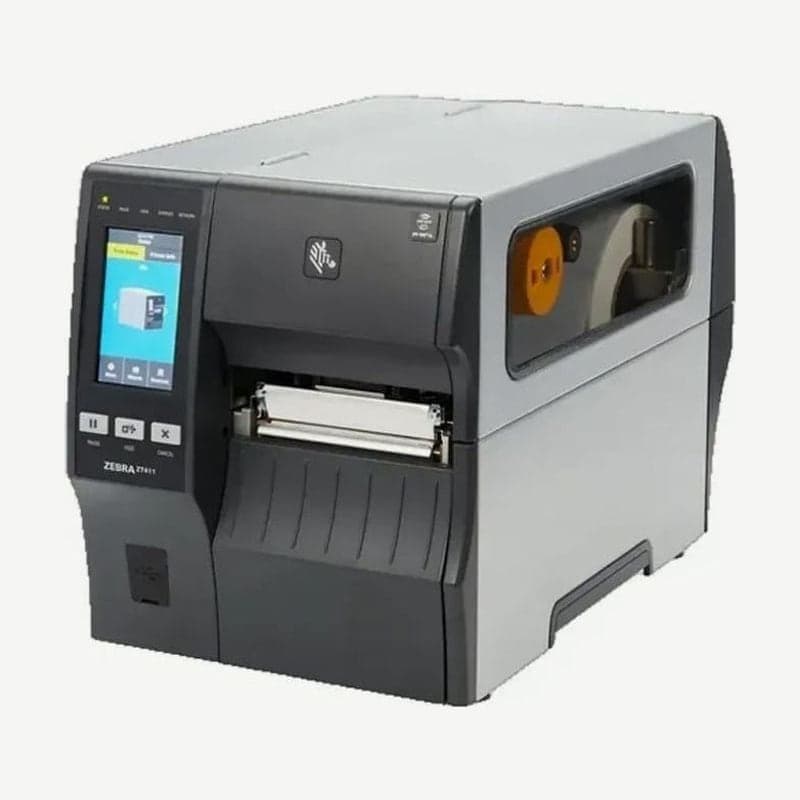
4-inch industrial model succeeding the ZT410
The ZT411 is the 4-inch industrial printer that Zebra designated as the successor to the ZT410, discontinued in 2020. It prints at up to 356 mm per second at 203 dpi, and the resolution is chosen from three options: 203, 300, and 600 dpi.
The printer weighs 16.33 kg, the print mechanism and media cover are metal, and a 4.3-inch color touch display is on the front.
Speed and barcode bars at 203, 300, and 600 dpi
| Resolution | Max speed | Narrowest barcode bar | Max continuous print length |
|---|---|---|---|
| 203 dpi | 356 mm/s (14 ips) | 4.9 mil (about 0.125 mm) | 3,988 mm |
| 300 dpi | 254 mm/s (10 ips) | 3.3 mil (about 0.084 mm) | 1,857 mm (spec sheet) / 1,854 mm (user guide) |
| 600 dpi | 102 mm/s (4 ips) | 1.6 mil (about 0.042 mm) | 991 mm |
For large barcodes, as on carton and receiving/shipping labels, 203 dpi is the fastest. Choose 600 dpi when you need very small text or 1.6 mil bars, but its maximum speed of 102 mm/s is under one third of 203 dpi. EPL formats run only on the 203 dpi model; the others are sent ZPL II.
Ports and wireless options
USB 2.0, two USB host ports, RS-232 serial, 10/100 Ethernet, and Bluetooth 4.1 are standard. For wireless LAN, choose one card: 802.11ax Wi-Fi with Bluetooth 5.3, or 802.11ac with Bluetooth 4.2. Parallel (IEEE 1284) and an applicator interface are also added as option cards.
The Windows driver and manuals are posted at ZT411 driver download.
Linerless and RFID configurations
Linerless labels without a backing liner are used with a direct-thermal-only factory-installed model or a field upgrade kit. RFID models encode UHF EPC Gen2 V2.1 and ISO 18000-63 tags at a minimum pitch of 16 mm. The on-metal RFID kit is installed in the field only on 203 and 300 dpi models.
Media and ribbon specifications and dealing with wrinkles
Label width is 25.4-114 mm in tear-off and cutter modes and 25.4-108 mm in peel and rewind modes, and thickness is 0.058-0.25 mm. Ribbons are 51-110 mm wide on a 25.4 mm core, and ribbons wound with the ink side out are standard. Ribbons wound ink side in require the optional spindle.
Ribbon wrinkles occur when the ribbon is loaded incorrectly, the darkness is too high, or the printhead pressure is uneven. Reload the ribbon so it passes innermost under the printhead, turn the take-up spindle to remove slack, and then lower the darkness and printhead pressure (dials 1-4) to the lowest level that still prints clearly.
ZT411 printhead cleaning steps
Clean the printhead and platen roller with every ribbon roll when using thermal transfer, and with every media roll when using direct thermal. Skipping cleaning leaves voids in barcodes and graphics and scratches and damages the printhead heating elements.
- Open the cover, wait for the printhead to cool, and touch the metal frame to discharge static electricity from your body.
- Rotate the printhead open lever up and remove the ribbon and media.
- Wipe the brown strip on the printhead from end to end with a swab moistened with 99.7% isopropyl alcohol.
- Wipe the platen roller while rotating it, reload the ribbon and media, and lower the lever to lock it.
- Close the cover and press PAUSE to resume printing.
Clean the 600 dpi printhead with the dedicated cleaning film (Save-a-Printhead). Do not use alcohol on the platen roller of linerless models; instead, remove dust with the adhesive side of a linerless label.



