
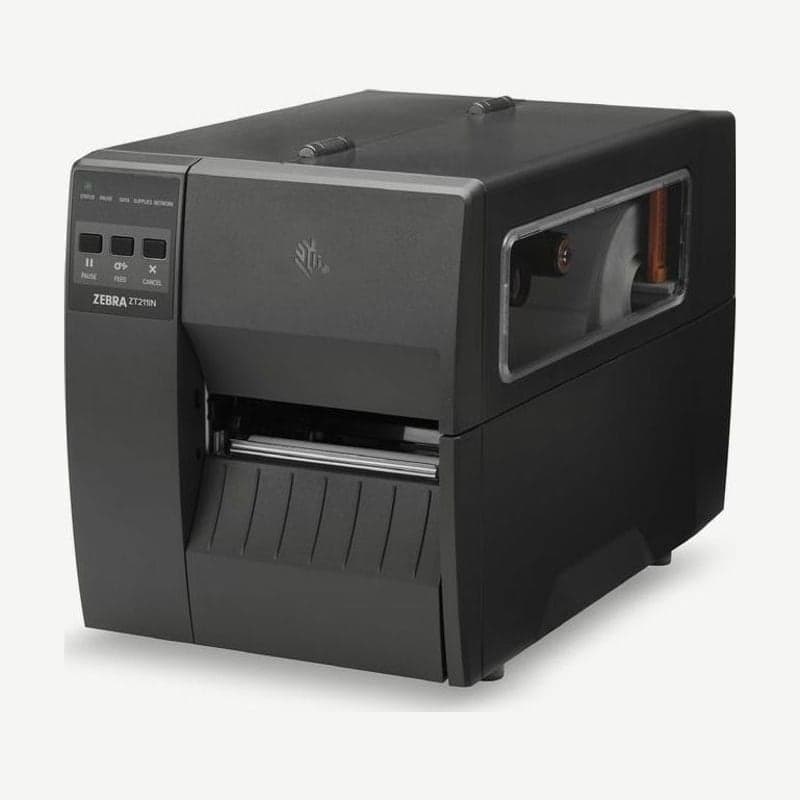
What the three ZT211 buttons do
The ZT211 is an entry-level 4-inch industrial printer with the same print speed, resolution, and 104 mm maximum print width as the ZT111, and its control panel labels come in an English version and a Chinese version. It is operated with three buttons and five indicator lights, without a display.
- Press PAUSE to stop printing, and press it again to resume.
- Each press of FEED advances one blank label.
- While paused, pressing CANCEL once clears the next format; holding it for 2 seconds clears all waiting formats.
The five indicator lights are STATUS, PAUSE, DATA, SUPPLIES, and NETWORK, in that order, and their color and blinking show why the printer stopped.
| Indicator state | Meaning |
|---|---|
| STATUS solid green | Ready to print |
| PAUSE solid yellow | Paused |
| STATUS red + SUPPLIES solid red | Out of media |
| STATUS red + SUPPLIES blinking red | Out of ribbon |
| STATUS yellow + SUPPLIES blinking yellow | Ribbon loaded in direct thermal mode |
| STATUS red + PAUSE solid yellow | Printhead open |
Print speed is set within 51-254 mm per second on the 203 dpi model and 51-152 mm per second on the 300 dpi model. For printing large barcodes on cartons quickly, 203 dpi fits; for product labels with a lot of small text, 300 dpi, which prints bars down to 3.3 mil, fits.
Label gap and sensor conditions
The gap between labels must be within 2-4 mm, and the recommended gap is 3 mm. Tag notches are 6 x 3 mm, and holes are 3.18 mm in diameter. The transmissive sensor is fixed 11 mm from the inner edge of the media.
For black mark media, marks must be 2.5-11.5 mm long, at least 9.5 mm wide, and have a density above 1.0 ODU.
ZT211 ribbon specifications
Ribbons are 51-110 mm wide and 450 m long on a 25.4 mm core, and only ribbons wound with the ink side out are used. Match the ribbon width to the label width or wider to prevent printhead wear. The ribbon roll outer diameter limit is 81.3 mm.
Connection methods and cable lengths
USB 2.0 uses a cable up to 5 m, and RS-232 serial uses a null-modem cable up to 15.24 m. 10/100 Ethernet, USB host, and Bluetooth LE are also built in, and a wireless LAN card is added in the upper option slot.
Phones and tablets connect over Bluetooth within a 9.1 m radius using the Zebra Printer Setup Utility app. The Windows driver and manuals are at ZT211 driver download.



