
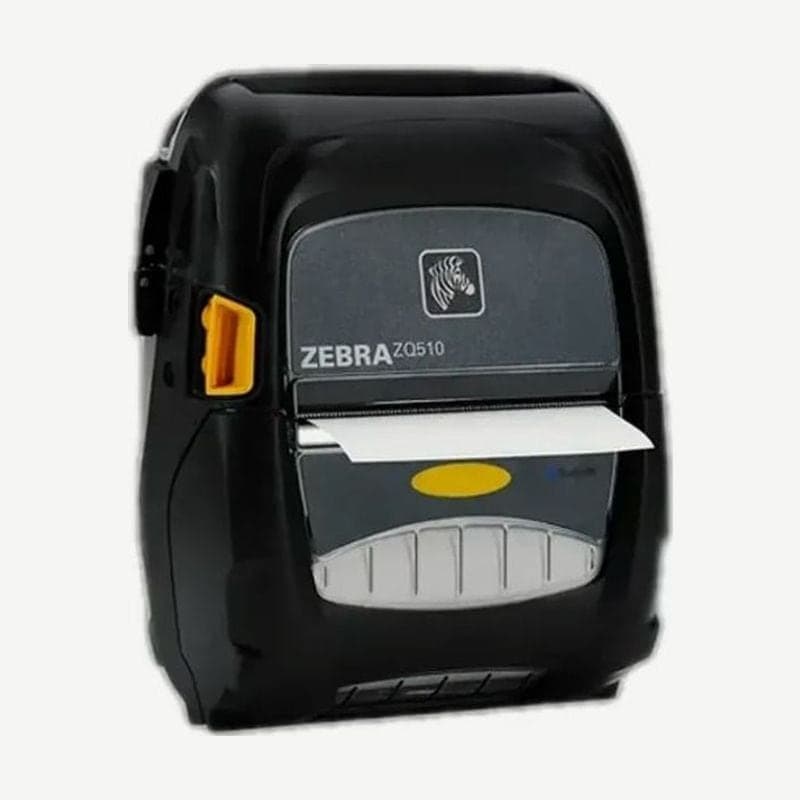
3-inch rugged ZQ500, succeeded by the ZQ511
The ZQ510 is a 3-inch rugged model tested with multiple drops onto concrete from 2 m and rated IP54 for dust and water. It was released for work outside the vehicle, such as field service, direct delivery, and proof-of-delivery receipts.
When adding to or replacing ZQ510 units in use, move to the ZQ511 or ZQ511 RFID. Zebra support ended on June 30, 2026.
Draft mode setting
For text-only receipts, turning on the SGD command media.draft_mode raises speed from 4 to 5 inches per second. It is off by factory default; in exchange, print darkness becomes about 22% lighter, and a draft mode icon appears on the display.
Do not print layouts with reverse text, solid black areas, or 1D or 2D barcodes in draft mode. Keep labels whose barcodes must be scanned in 4 ips normal mode.
Power button combinations and sleep
| Button held while powering on | Result |
|---|---|
| FEED | Prints the two-key report |
| SELECT | Prints the configuration label followed by the network label |
| SELECT + FEED | Forced download state that accepts firmware only |
After 20 minutes with no activity, it enters sleep and the LED around the power button blinks slowly. Pressing the power button for less than 3 seconds puts it to sleep, and more than 3 seconds turns it off completely. Wake-on-Bluetooth is only on Bluetooth-only models; Wi-Fi and Bluetooth dual radio models are woken with the button.
Magnetic card reader option
If card payment or ID reading is needed, remove the front bumper and replace it with the magnetic card reader (P1063406-036). It reads 3 tracks at once, or only 2 tracks with a setting change. A sound confirms a correct card swipe.



