
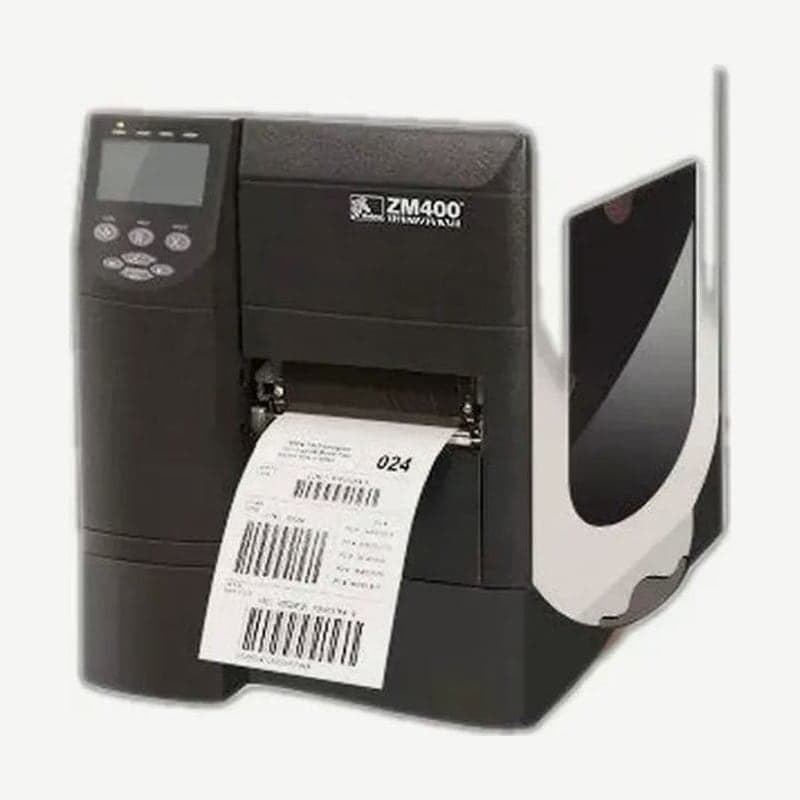
The ZM400 is a 4-inch industrial label printer in the Zebra Z series. With the 203 dpi printhead it prints up to 104 mm wide, and printheads came in three types: 203 dpi, 300 dpi, and 600 dpi. Its 6-inch sibling, the ZM600, has no 600 dpi printhead.
ZM400 speed and continuous print length by resolution
| Printhead | Speed settings | Max continuous print length | Barcode bar width (non-rotated) |
|---|---|---|---|
| 203 dpi | 61 mm/s, 76-254 mm/s | 3,988 mm | 4.9-49 mil |
| 300 dpi | 61 mm/s, 76-203 mm/s | 1,854 mm | 3.3-33 mil |
| 600 dpi | 38 mm/s, 51-102 mm/s | 508 mm | 1.6-16 mil |
Speed ranges listed as a range are raised and lowered in 25 mm/s increments. When a barcode is rotated 90 degrees and printed vertically with the 300 dpi printhead, the narrowest bar becomes thicker at 3.9 mil.
The firmware accepts ZPL II and XML-enabled ZPL. Only the 203 dpi ZM400 accepts EPL II, APL-I, and APL-D commands, so to use formats built in EPL on 300 dpi or 600 dpi units, they must be converted to ZPL formats.
Ink-side-in ribbons and the gray spindle
The standard ribbon spindle is black and takes ribbons wound with the ink side out. Ribbons wound with the ink side in load only with the alternate thermal transfer option, which uses a gray spindle, and this option was available only on the ZM400.
If you do not know which side of the roll is inked, peel off one label, press a corner of its adhesive side against the outside of the ribbon roll, and pull it away. If ink powder transfers to the label, it is an outside-wound ribbon; if nothing transfers, it is an inside-wound ribbon.
Ribbon width goes up to 110 mm, and if the ribbon is narrower than the media, the exposed part of the printhead wears first. Length comes in two sizes depending on the media-to-ribbon roll ratio: 300 m (2:1) and 450 m (3:1).
Starting printhead pressure dial positions by label width
There are two printhead pressure dials, inner and outer, each with levels 1-4 on the ZM400. Start at the positions below according to label width.
| Label width | Inner dial | Outer dial |
|---|---|---|
| 1 in | 3 | 1 |
| 2 in | 4 | 1 |
| 3 in | 3 | 2 |
| 3.5 in or more | 3 | 3 |
If the print fades on the left, raise the inner dial one level; if it fades on the right, raise the outer dial. If the media drifts to the left during printing, raise the outer dial or lower the inner one by one level.
Standard ports and cable lengths
USB 2.0, IEEE 1284 bidirectional parallel, and RS-232C serial (DB9F) are the standard ports. Cables can be up to 5 m for USB, 3 m for parallel, and 15.24 m for serial. Wired Ethernet (10BASE-T/100BASE-TX) and 802.11b/g wireless LAN require the ZebraNet print server option.
The liner take-up option, which winds up the liner instead of feeding it out the front when labels are peeled in peel mode, was also available only on the ZM400.
End of sale in 2014 and the successor ZT411
The ZM400's last sale date was September 30, 2014, and only the Asia-Pacific region sold it until December 31, 2014. Manufacturer repair and technical support also ended on December 30, 2019 (Asia-Pacific March 31, 2020).
The successor model designated by Zebra is the ZT411. The 104 mm print width, 3,988 mm continuous print length at 203 dpi, and the 600 dpi printhead option are the same on both models. Top speed at 203 dpi is 254 mm/s on the ZM400 and 356 mm/s on the ZT411.
The parallel port is standard on the ZM400 but optional on the ZT411. Sites that connected to a PC with a parallel cable should order the parallel option with the replacement or switch to USB.
Windows drivers and the English user guide for the unit you use now are collected on the ZM400 driver download page.



