
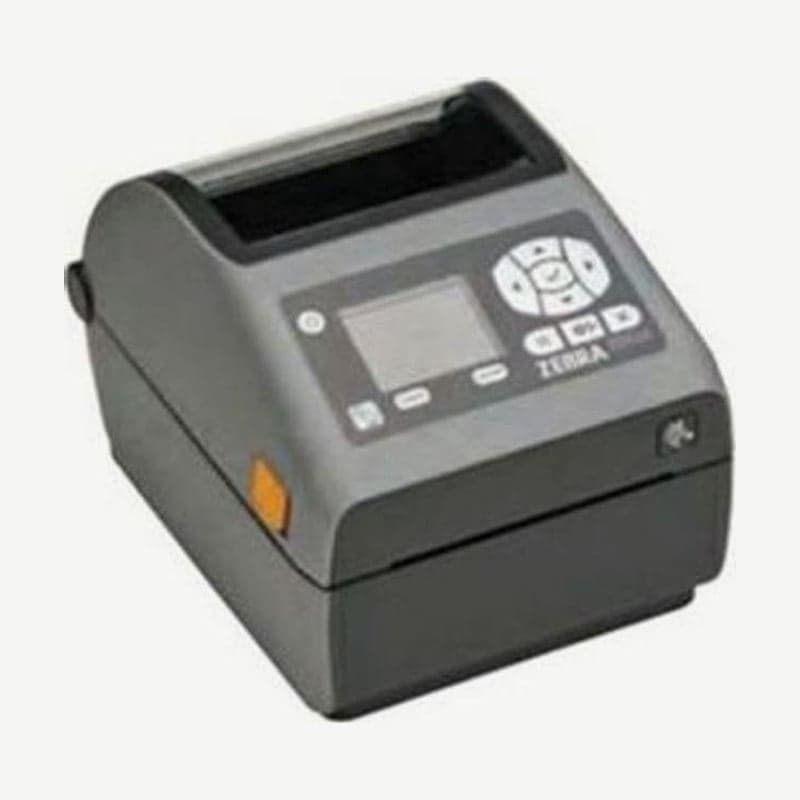
The ZD620d is the direct thermal ZD620 model that prints without a ribbon, and it is marked discontinued in Zebra's support list. When released, it was the 4-inch model replacing the GX series and ZD500; it prints at 203 mm/s (8 ips) at 203 dpi and has USB, serial, Ethernet, and BTLE all as standard.
Drivers and user guides remain available, so units in use keep operating as they are. For replacement, the current model of the same size is the ZD621 direct thermal model; both models measure 221 x 177 x 151 mm and weigh 1.6 kg.
Menus on the 10-button LCD model
In addition to the standard control panel with 3 buttons and 5 status icons, the ZD620 was available as a model with a color LCD and a 10-button control panel. When the printer enters a pause (PAUSE) or error state, the LCD screen color changes.
By default, the top line of the idle screen shows the model name, and the two lines below show the firmware version and IP address. Press the left select button or the center check button to enter the home menu; if nothing is pressed, it returns to the idle screen after 15 seconds. Changed settings are saved the moment you exit the menu item.
Linerless media configuration
Linerless labels, which have no release liner, are used only on direct thermal models such as the ZD620d. When attaching the linerless cutter or tear-off bezel, replace the standard platen roller with a linerless roller; both parts have a label-taken sensor that detects whether the label has been removed.
Platen rollers are distinguished by color. Standard is black for 203 dpi and gray for 300 dpi, and linerless is reddish brown for 203 dpi and brown for 300 dpi; printing is stable only when you choose linerless labels whose adhesive formulation matches the platen roller material.
EPL line mode
Direct thermal models print in a line mode whose commands are compatible with EPL1, used by the older LP2022 and LP2042. Enter it with the OEPL1 command and exit with the escOEPL2 command; the current mode is printed on the configuration report.
Line mode prints one line at a time at the height of the tallest element, so elements cannot overlap and ladder barcodes cannot be used. While line mode is on, ZPL and EPL2 commands are also treated as line mode data, so check the mode before sending a new layout.
The thermal transfer model is the ZD620t, and files are on the ZD620 drivers and manuals page.



