
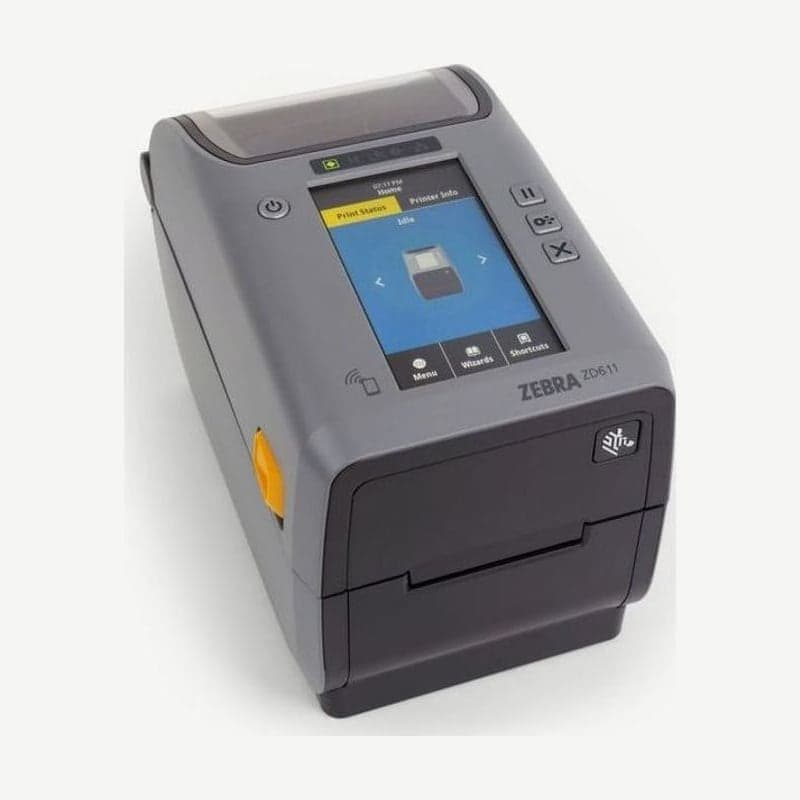
If you issue 2-inch RFID labels 15-60 mm wide, the ZD611 RFID model is the right fit. While printing barcodes, it encodes the UHF tag in the label (EPC Gen 2 V2.1, RAIN RFID) with the RE40 reader/encoder.
The ZD611 RFID model comes standard with a 4.3-inch color touch display, so RFID setup and testing are finished on the display without a PC.
First setup with the touch display wizards
Tap Wizards on the home screen to see the System, Connection, Print, and RFID wizards, plus the Set All wizard that runs them all in order. At first installation, Set All alone runs the 4 wizards in sequence.
While the wizards run, do not send ZPL or print data from a PC, and run the Print and Set All wizards with maximum-width (60 mm) media. If the media is shorter than the test image, the image is cut off or printed across several labels.
Order of the tag test and calibration menus
- Place one label containing a tag over the antenna and press Start under RFID Test in the RFID menu; the read and write test results appear on the display. Media does not move during this test.
- Before tag calibration, complete media calibration with the RFID labels, close the head, and feed at least 1 label. This makes calibration start at the correct position of the first tag.
- Press RFID Calibrate (ZPL ^HR) in the same menu, and the printer moves the media to set and save the write position, the antenna to use, and the read and write power.
After calibration, check what was written to a tag by placing it over the antenna and pressing Read RFID Data (^RF) to view it on the display. The RFID subsystem status is shown on the RFID Status screen or with ZPL ^HL.
Print conditions for 2-inch RFID labels
Print width is 56 mm at 203 dpi and 54 mm at 300 dpi, with maximum speeds of 203 mm/s and 152 mm/s respectively. Label length is set in the range of 6.35-991 mm.
Ethernet, USB 2.0, and USB Host are standard, and Wi-Fi 6 or Wi-Fi 5 wireless modules and RS-232 serial are optional.
Drivers are on the ZD611 drivers and manuals page, and if you print only labels that do not need RFID, the standard ZD611 model also works.



