
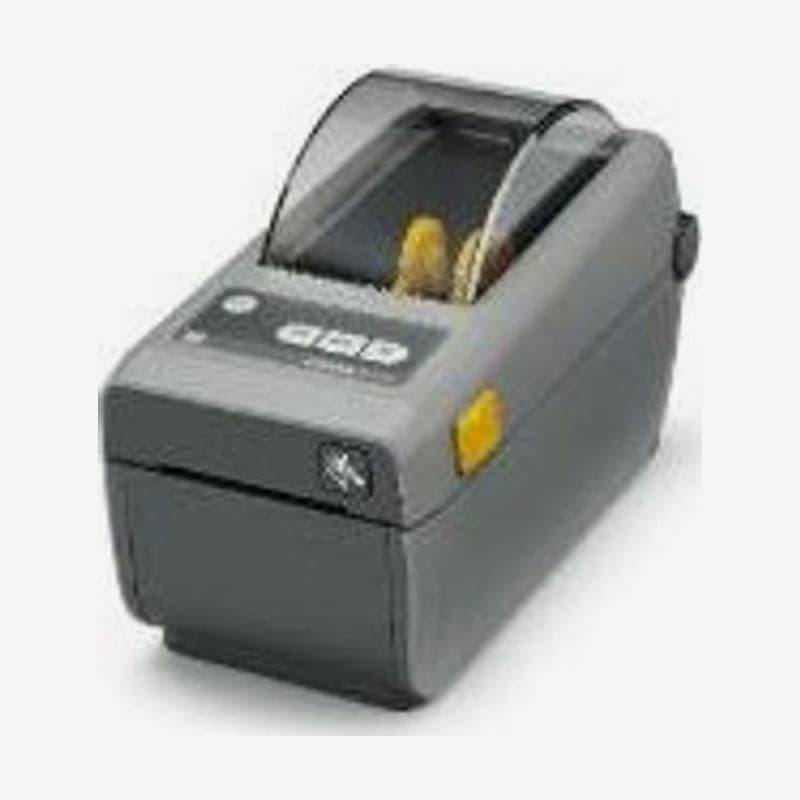
The ZD410 is a 2-inch direct thermal printer with a 60 mm media width and a 56 mm print width. It prints at up to 152 mm per second at 203 dpi, and even with 300 dpi resolution the print width stays at 56 mm.
Recovery steps when USB was plugged in before the driver
If you connect USB before installing the driver, Windows picks up its default driver and not even a test page prints.
- Unplug the ZD410's USB cable from the PC.
- Open Devices and Printers in Control Panel, and if there are Zebra devices starting with ZTC under Unspecified, delete them all.
- Install the Windows driver (v8) downloaded from ZD410 download first.
- Plug the USB cable back in, and the ZD410 appears in the printer list.
Button combination for position calibration after changing media
The top of the ZD410 has 5 status indicators and 3 buttons. If the position is off after changing media, press PAUSE and CANCEL together for 2 seconds while STATUS is green; a few labels feed out, and calibration is done when it returns to green. If you replaced the roll with one of the same type and batch, just press FEED 1-2 times to align the position.
ZD410 and ZD411 compared
| Item | ZD410 | ZD411 |
|---|---|---|
| Print method | Direct thermal only | Direct thermal and thermal transfer models |
| 300 dpi print width | 56 mm | 54 mm |
| Bluetooth Low Energy (BLE) | Standard on network models only | Standard on all models (for setup app) |
| Real-time clock (RTC) | Standard on network models only | Standard on all models |
| Wireless options | Wi-Fi 802.11ac + Bluetooth 4.1 | Wi-Fi 5 + Bluetooth 4.1, or Wi-Fi 6 (802.11ax) + Bluetooth 5.3 |
The current 2-inch model that replaces the discontinued ZD410 is the ZD411. The 203 dpi print width (56 mm), max speed (152 mm per second), 60 mm media width, and 127 mm roll OD are the same on both, and the ZD411 direct thermal model also has the same body as the ZD410 (220 x 115 x 151 mm, 1.0 kg).
Options that fit the ZD410
The peeler (a device that peels labels and presents them), cutter, and RS-232 serial (DB-9) were field-installed options. 10/100 Ethernet was available both factory- and field-installed, and Wi-Fi 802.11ac and Bluetooth 4.1 wireless was factory-installed only.
When sending it in for repair, tell the Wooju OA service center in Korea which indicators are lit and their colors, along with the model name (ZD410, 203 or 300 dpi). Label layouts are created at 2-inch width in Goodlabel Designer (free label design software) and printed.



