
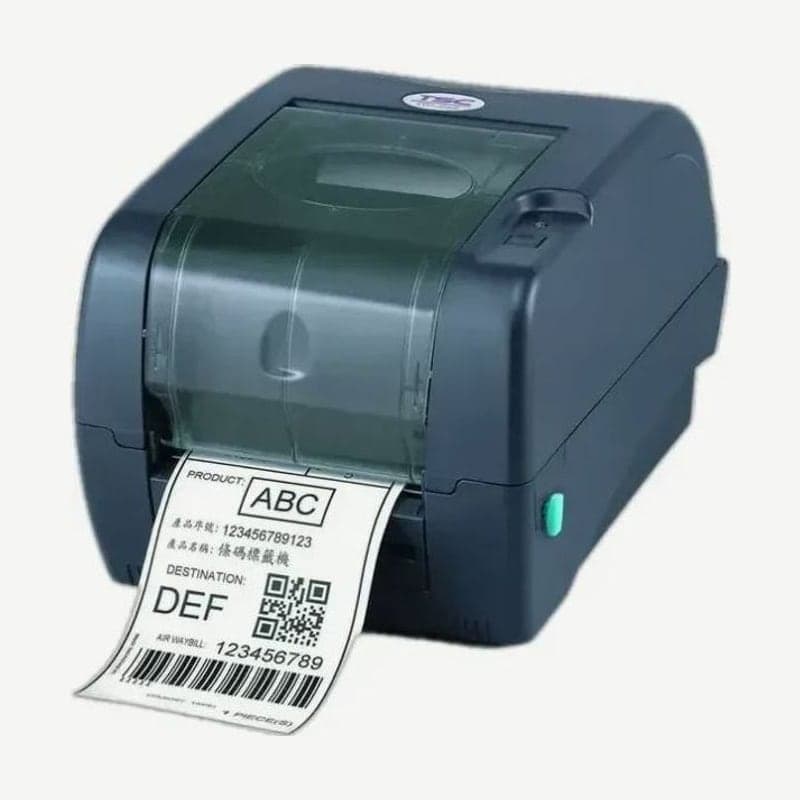
The TTP-247 is a TSC 203 dpi 4-inch desktop label printer that does both thermal transfer and direct thermal and prints at up to 178 mm per second. USB 2.0 plus RS-232 serial and Centronics parallel ports are standard, so it connects without a converter to PCs and equipment that drove printers over parallel or serial.
Its double-wall plastic clamshell body (213 x 188 x 314 mm, 2.8 kg) holds a 300 m ribbon and a 127 mm OD roll. The uses TSC lists for the TTP-247 series are office labels, product marking, asset tracking, document management, shelf labels, shipping and receiving, and specimen and patient labels.
TTP-247 and TTP-345
| Item | TTP-247 | TTP-345 |
|---|---|---|
| Resolution | 203 dpi | 300 dpi |
| Max print speed | 178 mm/s (7 ips) | 127 mm/s (5 ips) |
| Max print width | 108 mm | 106 mm |
| Max print length | 2,286 mm | 1,016 mm |
The body, ribbon, and interfaces are the same on both models. Criteria for choosing a resolution are covered in 203 dpi vs. 300 dpi.
Automatic ribbon detection and media specs
When a ribbon is loaded after power-on, the TTP-247 detects it and switches itself to thermal transfer mode, and without a ribbon it switches to direct thermal mode. When no ribbon is detected, the ribbon rewind motor stops.
- The ribbon is 300 m on a 1 in core wound ink side out (OD up to 67 mm), 40-110 mm wide.
- Media is accepted at 20-112 mm wide, 0.06-0.19 mm thick, and label lengths of 10-2,286 mm.
- With the external roll holder (user option) outside the unit, it takes 214 mm OD rolls wound on a 1 in or 3 in core.
FEED button power-on functions
With the power off, hold the FEED button and turn the power on, and the color of the single LED changes in turn through 6 functions. Release the button at the color you want, and that function runs.
| LED when released | Function |
|---|---|
| Red, 5 blinks | Gap and black mark sensor calibration |
| Orange, 5 blinks | Self-test print, then dump mode |
| Green, 5 blinks | Factory reset |
| Green/orange, 5 blinks | Black mark sensor calibration |
| Red/orange, 5 blinks | Gap sensor calibration |
| Green, solid | Skip AUTO.BAS and wait |
If you changed label specs or blank labels keep coming out, start with sensor calibration by releasing at the red stage.
Cleaning intervals
Clean the head and platen roller each time you load a new label roll. Turn off the power, let the head cool for at least 1 minute, and use a cotton swab moistened with 99% isopropyl alcohol or a genuine head cleaning pen. Once a month, clear paper dust from the sensors with a soft non-metallic brush or a vacuum cleaner. Canned compressed air blows dust toward the sensors, so do not use it inside the TTP-247.
Options and network connection
Ethernet and the real-time clock are factory options, so decide on them when ordering. The peel-off module (dealer option) is used with label lengths of 1-6 in at 2-3 ips. From firmware A2.12 onward, TSC Console uses port 6101 instead of 9100 as the command port.
The driver and user manual are on the TTP-247 driver download page, and label layouts are created with the TTP-247 driver in Goodlabel Designer (free label design software).



