
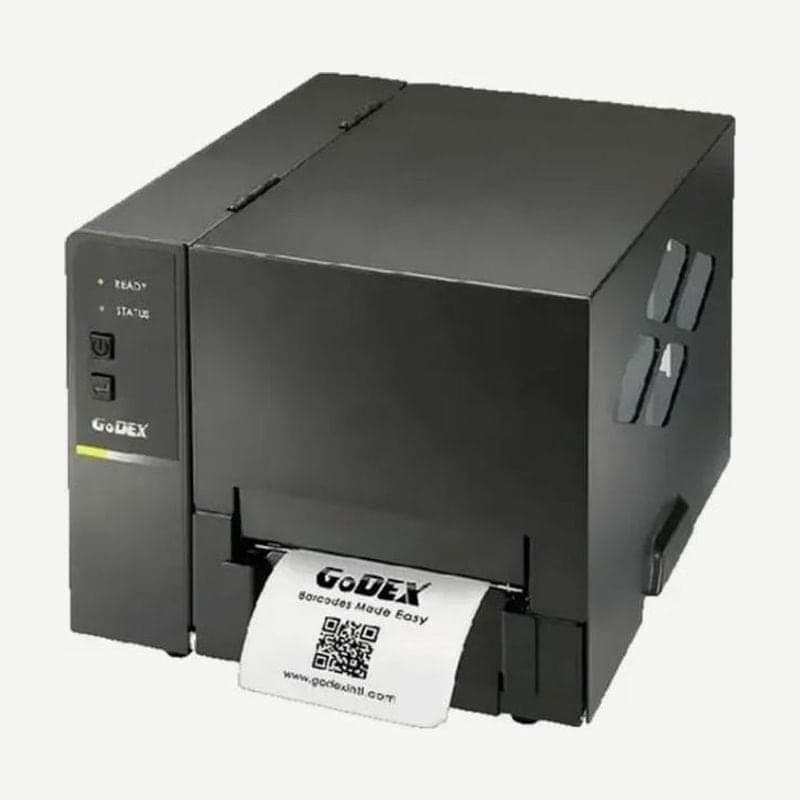
A Godex 4-inch desktop printer that prints at 203 dpi and 127 mm/s (5 ips). With a ribbon loaded it prints thermal transfer, and without one direct thermal; it connects to a PC through a single rear USB 2.0 (Type B) port.
In the same BP500L series, the BP520L is faster at 7 ips and the BP530L is the 300 dpi model. This is the base model for sites where 5 ips is fast enough and the printer is attached to one PC by USB.
Media and ribbon specifications for the BP500L
| Item | Specification |
|---|---|
| Media width | 25.4-118 mm |
| Media thickness | 0.06-0.25 mm |
| Media roll | OD up to 152 mm, cores 1, 1.5, 3 in |
| Ribbon | 300 m long, 30-110 mm wide, 68 mm roll OD, 1 in core |
| Print length | 4-1,727 mm |
It takes all three ribbon grades: wax, wax/resin, and resin. How to choose by label material is covered in thermal transfer ribbon types.
Sensor position for punched tags
For punched tags, the distance from hole to hole is read as one label length. Place the movable reflective sensor directly below the tag holes; the hole diameter must be 3 mm or more to be detected properly.
Rear external media openings
The rear panel has separate openings for external rolls and for fanfold media. Large rolls that do not fit the internal holder, or fanfold labels, are fed through these 2 openings.
Label length measurement and self-test steps
- Load the media aligned with the guides and turn the power off.
- Hold the FEED button and turn the power on.
- When, of the 2 indicators, READY blinks red and STATUS lights amber, release the button.
- The printer measures and stores the label length, then prints one self-test label.
The single test label shows the firmware version, speed and darkness, label width, length, and stop position, sensor settings, and code page. If, after changing media, one press of FEED does not feed exactly one label, measure again first.
The Godex universal driver for the BP500L is available in the BP500L downloads. For label layout work, use the free program Goodlabel Designer (free label design software).



