
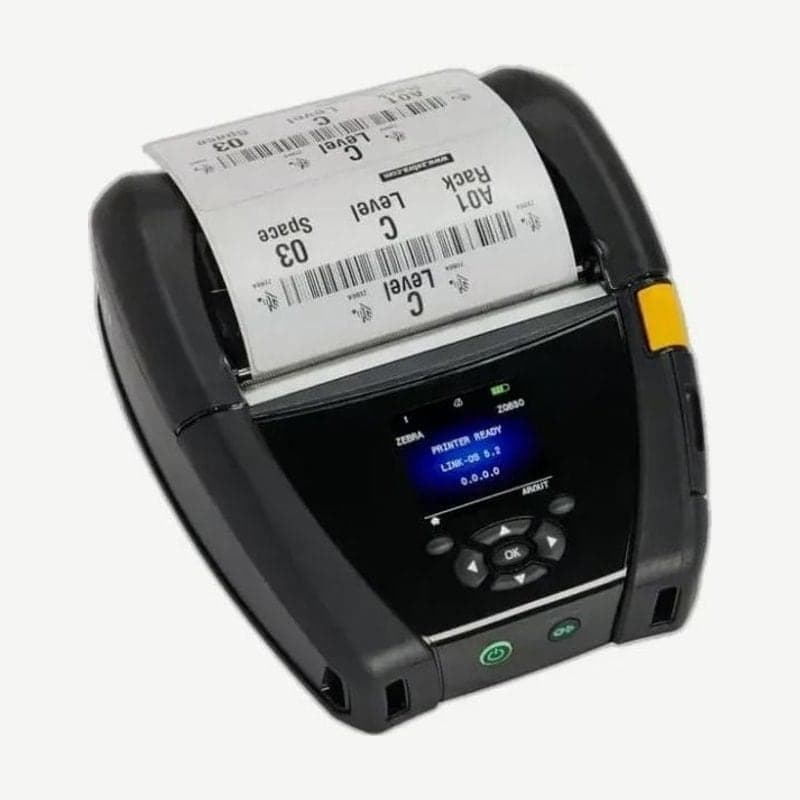
4-inch ZQ600 with an RFID option
On the ZQ630 RFID model, a UHF RFID encoder is fitted near the printhead, so it writes data to the EPC Gen 2 tag inside the label while printing text and barcodes on it. This encoder is installed only at the factory.
Media with a liner loads 50.8-111 mm wide, and linerless media up to 109 mm; the weight with the battery and without media is 1.113 kg. Drivers are posted on the ZQ630 download page.
RFID calibration steps
When changing the media type on the ZQ630 RFID model, do label length calibration first, followed by RFID calibration. When only replacing an empty roll with the same type of media, it does not need to be redone.
- Load the RFID media and complete label length calibration. Leave the labels and tags on the liner.
- Press the FEED button once to feed out 1 label.
- Press the home button, go to the RFID menu, and press OK.
- Find RFID CALIBRATE with the left and right arrows and press OK.
- The printer slowly feeds 1-2 labels and sets the encoding position and read/write power. When READY appears on the display, tear off the remaining media.
To return to the default encoding position before calibration, use the restore option of the SGD command rfid.tag.calibrate.
VOID labels and retry count
If writing to a tag fails, VOID is printed on that label, and the printer retries on the next labels up to a set number. This number is set between 1 and 10 with the ZPL ^RS command, and the default is 3. When VOID comes out that many times, that format is discarded and it moves to the next format.
If VOID keeps appearing, check in order for defective tags, label format settings, and the tag position inside the label.
4-cell battery charging time
The ZQ630 uses a 7.4 V 4-cell smart lithium-ion battery. Both the 1-bay battery charger and the 3-bay battery charger fully charge the 4-cell battery within 6 hours.



