
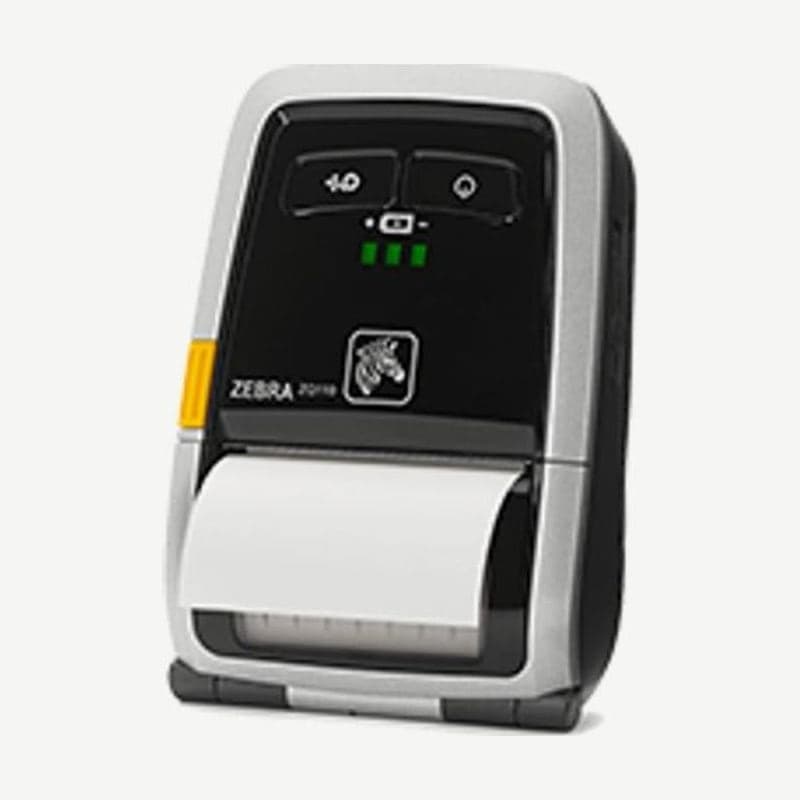
A receipt-only printer that accepts only ESC/POS
The first thing to check when connecting the ZQ110 to a POS program is the command language. It accepts only ESC/POS, not the label languages CPCL or ZPL, and the media is fixed to 57 mm wide receipt paper.
The Bluetooth base model weighs 0.23 kg with the battery and prints at up to 90 mm/s. Media rolls up to 30 mm OD fit. Zebra support ended at the end of 2023, so for new purchases, choose between the ZQ120 Plus and ZQ310 Plus designated as successors.
4 wireless and card reader configurations
| Configuration | Wireless | Magnetic card reader |
|---|---|---|
| Bluetooth | Bluetooth 3.0+EDR | None |
| Bluetooth + MSR | Bluetooth 3.0+EDR | 3-track, Triple DES encryption |
| Wi-Fi | 802.11b/g/n 2.4 GHz | None |
| Wi-Fi + MSR | 802.11b/g/n 2.4 GHz | 3-track, Triple DES encryption |
Windows driver paper settings
After installing the driver, the paper size is set to 58 x 297 mm. If receipts are longer, choose 58 x 3276 mm or create a new custom paper within 25.4-48 mm wide and 25.4-3276 mm long.
There are two paper types. Receipt feeds only as much paper as the printed content, and Ticket feeds the set length even if the content is short. There is also a setting that adds 0-99 blank lines at the end of printing, so if the tear point cuts into text, raise this value.
Drivers and manuals are on the ZQ110 driver download page.
Battery and charging cradles
The battery is a 7.4 V 1,200 mAh lithium-ion that takes 2.5 hours to fully charge. Only printers fitted with a battery that has external contacts go on the 1-slot charging cradle and 4-slot power station. If you are using the standard battery, charge it with the AC adapter, the cigarette lighter adapter, or the 1-slot or 4-slot battery-only charger.



