
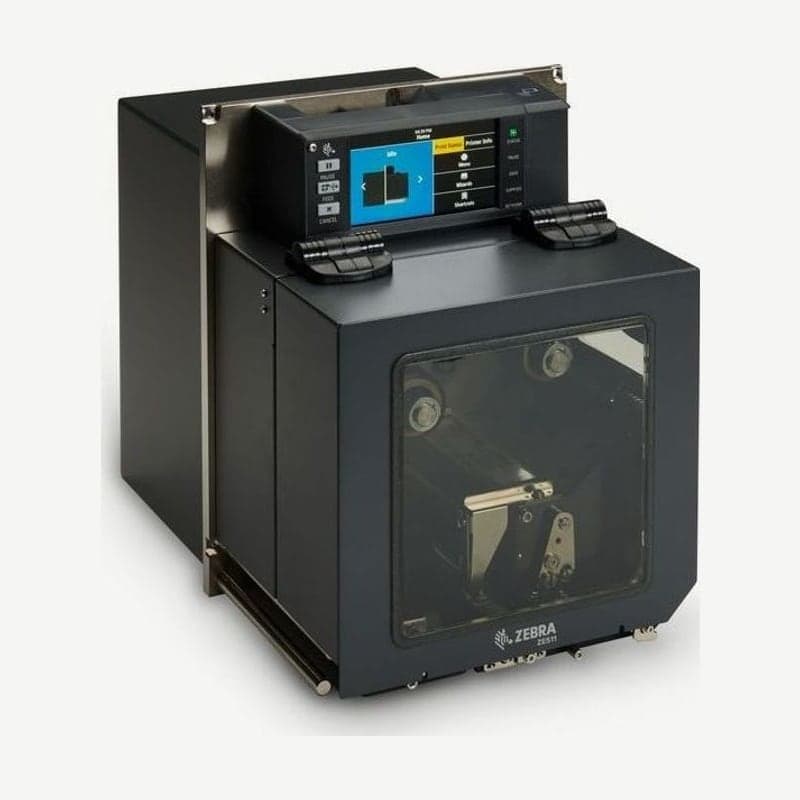
A 4-inch print engine taking over from the ZE500-4
The ZE511 is the print engine designated by the manufacturer as the 4-inch successor to the discontinued ZE500. It prints up to 104 mm wide, and you choose between a model with the print mechanism on the right and one with it on the left to fit the label applicator layout. 6-inch labels are handled by the ZE521 in the same family.
It has an all-metal enclosure with no cooling fan, so dust and water do not easily get inside. The 4.3-inch color touch display can be rotated, and with the display extension and mounting kit it can be mounted up to 2 m away from the engine.
Conditions for reaching 457 mm/s
| Printhead | Top speed | Max continuous media length |
|---|---|---|
| 203 dpi direct thermal + high-speed printhead option | 457 mm/s (18 ips) | 3,810 mm (150 in) |
| 203 dpi thermal transfer | 356 mm/s (14 ips) | 3,810 mm (150 in) |
| 300 dpi (optional) | 356 mm/s (14 ips) | 2,540 mm |
| 600 dpi (optional) | 152 mm/s (6 ips) | 1,270 mm |
To exceed 14 ips at 203 dpi, printing must be direct thermal with no ribbon, and the high-speed printhead option must also be installed. The high-speed printhead and 600 dpi printhead are available only on the ZE511, not on the 6-inch ZE521.
Applicator output voltage and jumper settings
The output voltage of the DB15 applicator port is selected from 0 V, 5 V, or 24 V with an SGD command. 5 V supplies up to 1.0 A and 24 V up to 0.5 A, and if the applicator side supplies the voltage, always set it to 0 V.
The J3 jumper on the board ships set to the 5 V limit, so to use 24 V, move J3 to pins 3 and 4. The J5 jumper is by default isolated from printer ground. There is no user-replaceable fuse on the board, and the output power withstands momentary shorts but is damaged if a short continues for a long time.
Communication option slot layout
USB 2.0, RS-232 serial, 10/100 Ethernet, Bluetooth 4.1, and 2 USB host ports are standard, and option cards go in two slots inside the engine, upper and lower.
- If you need wireless LAN, assign the wireless card to the upper slot first. The wireless card does not fit the lower slot.
- Put the second wired Ethernet in the lower slot.
- The parallel card works in either the upper or lower slot, so put it in the remaining slot, and use a cable within 3 m (1.83 m recommended length).
The user guides in Korean and English include DB15 signals by pin and illustrations of the J3 and J5 jumpers, and they are available with the drivers on the ZE511 download page. Ribbons wound with the coated side in or out both fit; when switching, set Ribbon Ink Side in the menu to that direction (In/Out).



