
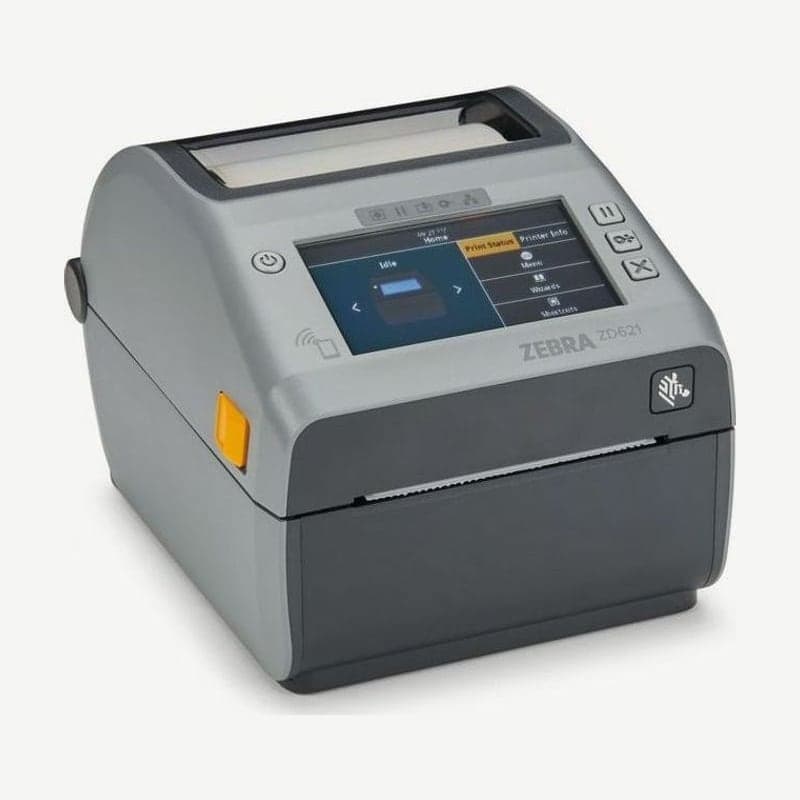
The ZD621R is a 4-inch printer with UHF RFID factory-installed in the ZD621 thermal transfer model, and it comes with a color touch display. It writes data to EPC Gen 2 V2.1 and RAIN RFID tags while printing barcodes on labels 15-118 mm wide, and the encoder is the Zebra RE40.
RFID antenna location
The antenna is between the platen roller and the movable media sensor slot, and the round antenna dome is visible when you open the cover. Tags are read and written as they pass over this dome, so for RFID tests as well, place one tag label on the dome.
Confirm the model by the RFID information shown on the touch display at power-on and by the product label on the unit.
RFID settings entered manually when calibration does not fit
Running tag calibration (^HR, menu RFID Calibrate) once sets 3 things automatically: write position, antenna, and read and write power. If encoding is still unstable on specific tag labels with this result, enter the 3 settings below manually on the touch display or on the printer web page (RFID Setup).
| Menu | Range | Command |
|---|---|---|
| RFID Program Position | F0-F999 (up to label length in mm, feeds forward) / B0-B30 (backfeeds) | ^RS, rfid.position.program |
| Read Power | 0-30 | ^RW, rfid.reader_1.power.read |
| Write Power | 0-30 | ^RW, rfid.reader_1.power.write |
When set to B0-B30, the label is backfed by the specified distance before writing, so print with some empty liner pulled out the front of the printer. The F0-F999 setting feeds the label forward by the specified mm before writing.
Resetting the valid and void label counters
The counters for successfully encoded labels and void labels are each reset to 0 in the RFID Valid Count and RFID Void Count menus (ZPL ~RO). If you clear both just before changing the tag roll or settings, the counters afterward accumulate only the counts from the new conditions.
Drivers and manuals are on the ZD621 drivers and manuals page, and places that print only ordinary labels without tags are well served by the ZD621t.



