
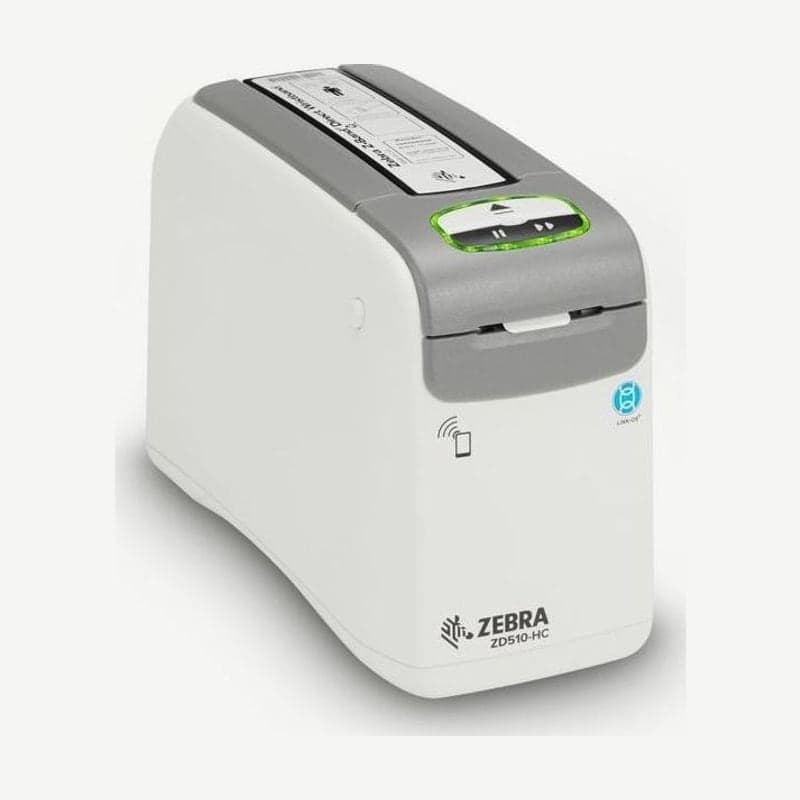
The ZD510 (ZD510-HC) is a 300 dpi direct thermal printer that accepts only wristband cartridges. When a cartridge is inserted, speed is set according to the settings stored on its chip, so hospital wristbands print at 51 mm/s and Z-Band Fun and Splash leisure wristbands at 102 mm/s.
Cartridges are inserted from the top, so leave at least 153 mm of clearance above the printer. The unit measures 127 (W) x 178 (H) x 242 (D) mm.
What the printer does when a cartridge is inserted
When the ZD510 is powered on, after its self-check the 2 indicators, wristband and status, blink amber, which means there is no cartridge in the printer. Insert the cartridge in the correct orientation and press the center until it clicks into place.
The printer then checks that the cartridge is genuine, reads the remaining wristband count, feeds the first wristband to the exit, and loads speed, darkness, print position, and length from the chip. When the status indicator ring is green and the wristband indicator is off, it is ready, and no wristbands are wasted in this process. Cartridges that are not genuine Zebra are not recognized.
Print start position by wristband type
About 25 mm from the leading end of the wristband cannot be printed because the printer cannot back-feed it, and no text is placed within 1.2 mm of the top and bottom edges. So that the print sits on the side visible after the patient puts it on, set the layout's start position for the 5 combinations of wristband type and length as in the table below.
| Wristband | Wristband length | Print start from leading end |
|---|---|---|
| Adhesive | 279 mm | 114 mm |
| Adhesive | 178 mm | 64 mm |
| Adhesive | 152 mm | 51 mm |
| Clip | 279 mm | 159 mm |
| Clip | 178 mm | 83 mm |
Do not print over the clip holes or anti-tamper slits. Print widths are 19.05, 25.4, and 30.16 mm, and print length is 76-558 mm.
EJECT and PAUSE/FEED button operations
Press and release EJECT once to rewind the wristband that was out and eject the cartridge. Holding it for 6 seconds forces the cartridge out without rewinding the wristband; in that case, open the top cover, take out the cartridge, cut the protruding wristband straight with scissors, and insert it again.
While PAUSE/FEED is held, one more amber blink is added every 2 seconds; release at 1 to print a configuration wristband, or at 2 to print a sensor profile.
Cleaning card and cartridge handling
Clean the media path with a cleaning card every 5 cartridges. Remove the cartridge with EJECT, turn the power off, and press the 2 top cover release buttons together to open the cover. Insert the cleaning card from the back into the slot below the black head bracket and above the gray body so that about 1 cm sticks out the front, and close the cover. Hold EJECT while turning the power on and keep holding for about 15 seconds. When the card moves and returns to its place, remove it, wait about 2 minutes for the alcohol to dry, and insert the cartridge again.
Used cartridges cannot be refilled. For light gray cartridges, remove the spring and chip and dispose of it as ordinary plastic recycling; black cartridges are covered by the Zebra take-back program. Store new cartridges in their packaging at 0-21°C and 35-50% humidity.
Drivers and manuals are on the ZD510 drivers and manuals page.



