
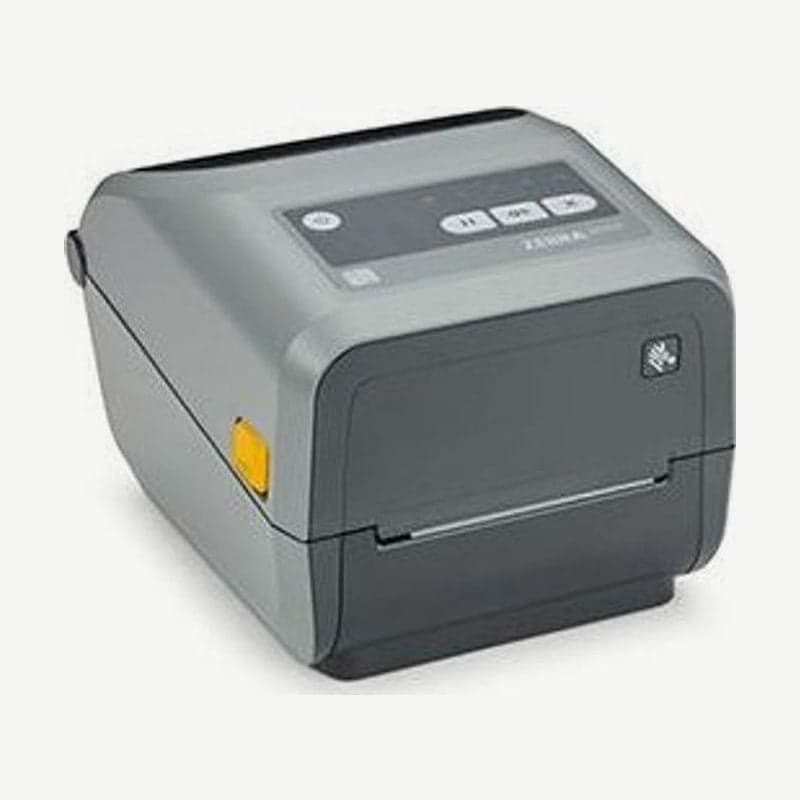
The ZD420c is the ZD420 thermal transfer model that uses cartridges containing 74 m of ribbon. There is no need to wind a ribbon roll onto a core; slide in the cartridge and close the cover, and the printer reads the ribbon information stored on the cartridge chip.
The ZD420c is discontinued, and the model currently available with the same cartridge method is the ZD421c.
ZD420 ribbon cartridge specs
Each cartridge holds 74 m of ribbon and came in widths of 33-110 mm. The ribbon must cover the full width of the media and liner to avoid damaging the head, so choose a width wider than the label. There is one color, black, in 3 materials: wax, wax/resin, and resin.
The ZD420c recognizes only genuine Zebra cartridges; with a refilled or third-party cartridge, a Cartridge Authentication Failed warning appears and it does not print.
3 steps to insert a cartridge
- Open the cover, hold the cartridge by its grip, and insert the front end into the cartridge slot of the ribbon drive along the guide rails.
- Push until the front of the cartridge is nearly flush with the front of the drive, and stop when you hear and feel a click.
- Close the cover. When calibrating after changing media, also press PAUSE and CANCEL together for 2 seconds with both media and cartridge loaded.
Cartridge status from the SUPPLIES indicator
- If SUPPLIES blinks red and orange and STATUS is lit orange, it is in Ribbon Low status with 10% of ribbon left, so have a new cartridge ready.
- If it blinks red only, it is in Ribbon Out status: the 74 m ribbon has run out or the cartridge has been removed.
- Ribbon In, with SUPPLIES blinking orange only, means a cartridge is inserted while trying to print in direct thermal mode. With the power on, remove the cartridge, close the cover, and press FEED once.
SGD commands to read cartridge remaining
Remaining ribbon length is read from the ribbon.cartridge.length_remaining item with the getvar command, and cartridge width, type, part number, and serial number are checked with other items in the same ribbon.cartridge family. The Ribbon Low warning point is changed with the ribbon.ribbon_low.warning item, choosing off or 5, 10, 15, 25, 50, 75, or 100%.
Checks when the cartridge cannot be read
If Ribbon Out appears even with a cartridge inserted, clean the cartridge chip with a cotton swab moistened with alcohol, and also clean the cartridge sensor contact pins at the top of the printer. If the same happens with another cartridge, reload the firmware, and if it still does not work, have it inspected at the Wooju OA service center in Korea.
The cartridge model driver is also the common file in the ZD420 downloads.



