
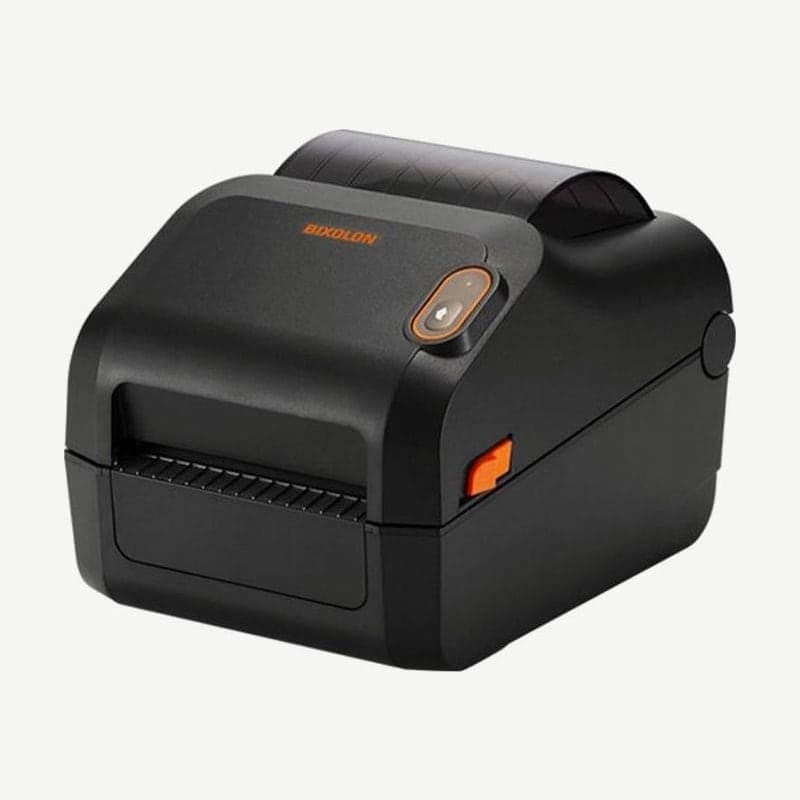
The XD3-40 is the entry-level series among Bixolon 4-inch desktop printers, with two models: the direct thermal XD3-40d and the XD3-40t, which takes a ribbon. Both print at 203 dpi, up to 127 mm/s (5 ips), with a print width of 104 mm.
The standard connection is a single USB port, and a configuration with serial and Ethernet is chosen separately. The XD3-40d is built so the printhead and platen roller can be replaced without tools.
Body differences between the d and t
| Model | Print method | Dimensions (W x L x H) | Weight |
|---|---|---|---|
| XD3-40d | Direct thermal | 181 x 222 x 168 mm | 1.7 kg |
| XD3-40t | Thermal transfer and direct thermal | 210 x 284 x 186 mm | 2.6 kg |
The XD3-40t box contains 2 ribbon holders and 0.5-inch and 1-inch cores. Use only ribbons with the ink coated on the outside, up to 300 m long and 33-110 mm wide.
XD3-40t ribbon knob position
The knob beside the ribbon assembly ships pushed in, in the PUSH-UP position, and is changed by pushing or pulling it by hand. If the knob does not match the ribbon, it affects print quality and operation.
- For ribbons of about 300 m on a 1-inch core, use it in PUSH-UP as is.
- For ribbons 2 inches wide or less on a 1-inch core, or ribbons of about 74 m on a 0.5-inch core, pull the knob out to PULL-DOWN.
Standalone settings with one button
The XD3-40 has only one feed/cancel button and one LED on the front. In standby, hold the button for more than 3 seconds and the LED turns amber; when you release it, 6 LED states cycle through in order.
| Order | LED | Action |
|---|---|---|
| 1 | Green, blinks 4 times | Self-test |
| 2 | Amber, blinks 4 times | Factory reset + gap sensor auto calibration |
| 3 | Red, blinks 4 times | Factory reset + black mark sensor auto calibration |
| 5 | Amber, held 3 seconds | Print received data (hexadecimal) |
| 6 | Red, held 3 seconds | Demo mode |
Items 2 and 3 perform a factory reset along with sensor calibration, so if you had changed settings with the utility, enter them again after calibrating. The self-test run by holding feed/cancel while turning the power on takes about 10 seconds before printing starts.
The single LED on the XD3-40t indicates status by color. Steady amber means gap or black mark could not be read, blinking amber means media or ribbon is out, steady red means the ribbon assembly is open, and blinking red means the head has overheated.
Differences from the XD5-40 series
| Item | XD3-40 | XD5-40 |
|---|---|---|
| Max speed | 5 ips (same for d and t) | 40d 7 ips, 40t 6 ips |
| Max print width | 104 mm | 108 mm |
| Standard connection | USB | USB + USB host |
| Wireless LAN and Bluetooth | None | Optional configurations |
| Options | Peeler, external media supply | Peeler, auto cutter, external media supply |
| LCD and real-time clock | None | Optional |
If you need an auto cutter or wireless connection, look at the XD5-40d and XD5-40t.
The Windows driver for use in Goodlabel Designer (free label design software) is on the XD3-40 driver download page.



