
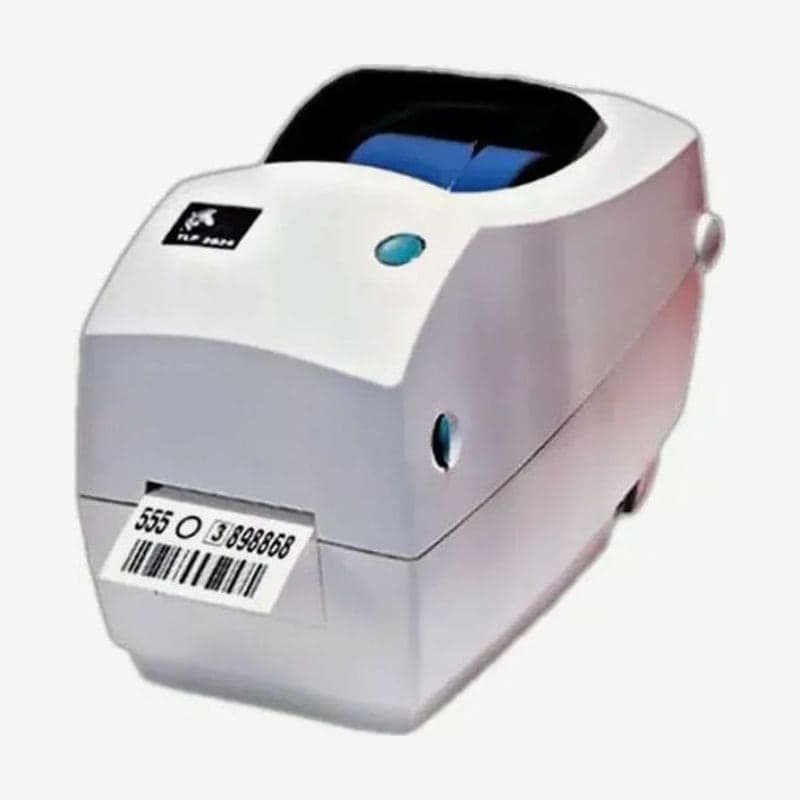
The first thing to check where a TLP2824 is in use is the rear port. This EPL2 thermal transfer and direct thermal printer was released as one of a model with only a parallel port, a model with USB plus 9-pin serial, or a model with Ethernet plus 6-pin RJ-11 serial. Cleaning cards and head cleaning film (Save-a-Print Head) are 2 inches wide, not 4 inches.
3 port configurations and the connections that change on the ZD411
| Configuration | Ports | Connection notes | On the replacement ZD411 |
|---|---|---|---|
| Parallel model | 36-pin Centronics parallel | IEEE 1284 compatible cable recommended | No parallel port; connect by USB 2.0 |
| USB model | USB 1.1 + DB-9 serial | Several printers can connect to one hub | USB 2.0 standard; serial is a field-installed RS-232 module |
| Ethernet model | Internal Ethernet + RJ-11 serial | Print a network configuration label with the test button next to the connector | Ethernet module (factory or field installed); serial module separate |
The serial port on the Ethernet model is a 6-pin RJ-11 jack, not 9-pin, so connect it to the PC's 9-pin port with DB-9 female to RJ-11 conversion wiring. At shipment, serial communication is set to 9600 bps, 8 data bits, no parity, and 1 stop bit.
Use shielded data cables throughout, kept short, within 1.83 m (6 feet). To keep noise out, do not bind them tightly to power cords.
Roll holder set to core size
The TLP2824 roll holder has an adjustment lever for core size. For rolls with a small core, raise the lever; for rolls with a large core, press it down before fitting the roll.
Zigzag-folded fanfold media is fed through the rear feed slot. Open the holder to its widest and click the holder open lock forward, set the media guides so they lightly touch the media edges, and close the cover.
Peel mode setup steps
- Remove a few labels from the liner, and open the top cover and dispenser door.
- Turn on the label taken sensor switch with a fine-tipped tool such as a stylus.
- Pass the liner in front of the peel bar and behind the peel roller.
- Close the dispenser door and top cover, and press the FEED button to advance the label.
In peel mode, the presented label must be taken before the next one prints. If it keeps printing without stopping between labels, check in order whether the sensor switch is off, whether paper debris is caught in the sensor, and whether the Q command is set for continuous media.
Ribbon specifications for the ZD411 thermal transfer model
The thermal transfer model of the ZD411, which Zebra designated in place of the TLP2824, takes ribbons 74 m long, 33-58 mm wide, with a 34 mm roll outer diameter and a 12.7 mm core inner diameter. The ribbon width upper limit is 2 mm narrower than the 60 mm media width upper limit, so with 60 mm media the ribbon does not cover the entire media. To move ribbon stock used on the TLP2824 over, first measure whether all four of these dimensions match.



