
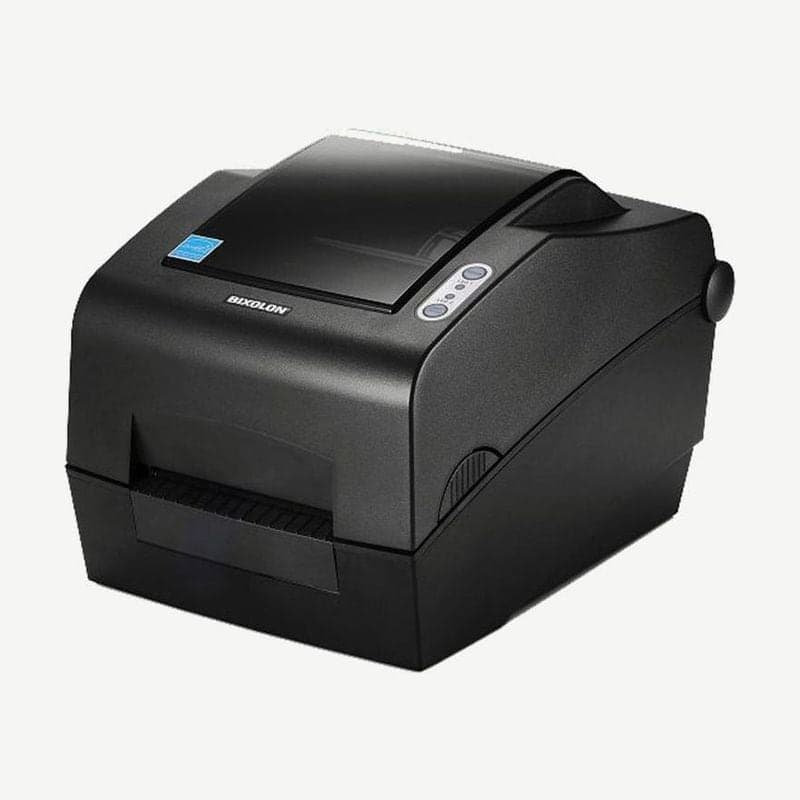
The SLP-TX400 is a Bixolon 4-inch desktop model that prints thermal transfer with a ribbon loaded and direct thermal without one. It prints at 203 dpi with a print width of 108 mm at up to 178 mm/s (7 ips); its 300 dpi sibling, the SLP-TX403, prints 105.7 mm wide at 5 ips (127 mm/s).
As shipped, the ribbon sensor is turned off. If used this way, the printer does not stop printing even when the ribbon runs out or breaks partway.
Port configurations and RFID model
The back of the standard model has three ports: USB, RS-232C, and IEEE1284 parallel. The Ethernet model, SLP-TX40xE, has LAN and a USB Type A host port instead of parallel, and a wireless LAN dongle plugs into this host port. There is also the SLP-TX400R with built-in UHF RFID, and its frequency in Korea is 902-928 MHz.
Knob adjustment by ribbon length
The TX400 knob is turned by hand with the ribbon installed to match the ribbon length in the 74-300 m range. It ships in the 300 m (1-inch core) position, so when loading a 74 m ribbon on a 0.5-inch core, turn the knob toward 74 m before use. 100 m ribbons on a 0.5-inch core can also be loaded.
| Knob cover position | Ribbon length set |
|---|---|
| Cover recessed inside the knob | 300 m |
| Cover protruding outside the knob | 74 m |
It accepts only ribbons with the ink side facing out (wax, wax/resin, resin; 33-110 mm wide), and for 1-inch core ribbons, fit the 2 ribbon holders included in the box. The empty core from a used-up ribbon is moved to the take-up side and used again.
Turning on the ribbon sensor
The sensor is turned on by command or in the Unified Label Utility default settings. Once it is on, if the ribbon cannot be read, the printer enters an error state with LED1 and LED2 both steady red.
The same default settings screen also holds media size, print speed and darkness, media type, and whether a ribbon is used. If you change the settings, print one test page with the driver from the SLP-TX400 driver download page.
Cutter model and peeler
The auto cutter comes on the SLP-TX40xC model, installed at the factory. Cutting is turned on and off by command, and the default behavior is set in the utility.
The peeler is used with label stock only. Move the switch inside the peel-off cover to ON and insert the liner, with the first label peeled off, into the peeler. The switch setting takes effect when the power is turned on again.



