
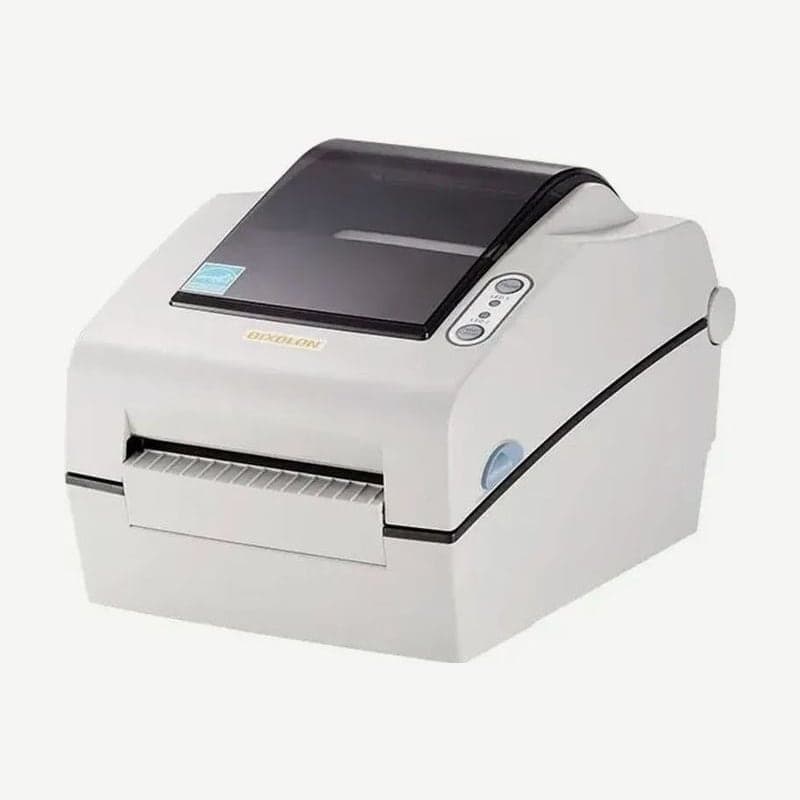
The SLP-DX420 is a Bixolon 4-inch desktop label printer that prints on direct thermal media at up to 178 mm/s (7 ips). The print width is 108 mm, 4 mm wider than the 104 mm of the SLP-D420, another Bixolon 4-inch direct thermal model.
The unit measures 194 x 243 x 171 mm and weighs 2.20 kg, and a single label can be up to 1,000 mm long. It uses direct thermal label stock only, with no ribbon.
Three media sensors and loading steps
The media path has an upper gap sensor, a lower gap sensor, and a black mark and notch sensor whose position can be moved. Gap labels can be loaded as they are; media with printed black marks or punched notches is read only when the sensor is aligned to that position.
- Open the media cover, spread the holders, and insert the roll. Whether wound inside or outside, the print side faces up.
- Pull the media forward and slide it under the media guides on both sides.
- For black mark or notch media, lift the media slightly and move the movable sensor to the position of the mark or hole.
- Close the cover until it clicks.
Order of the four calibration methods
Calibrate at first installation, when switching to a different type of media, or when the print position is off or labels do not stop in place. Smart media detection adjusts first using 3-5 labels; if that fails, move to gap or black mark auto calibration, and if that still does not work, to manual calibration in the utility.
For gap auto calibration, hold PAUSE for 2 seconds to enter standalone settings mode, then press FEED at the 4th combination (LED1 amber, LED2 green blinking 4 times). Black mark is the 5th combination (LED2 amber blinking 4 times). When either auto calibration succeeds, smart media detection turns off, and it turns on again only after a factory reset.
Errors by red LED combination
| LED1 | LED2 | Status |
|---|---|---|
| Red, steady | Amber, steady | Media jam (gap or black mark not read) |
| Red, steady | Green, blinking | Head overheat |
| Red, steady | Red, blinking | Media cover open |
| Red, steady | Amber, blinking | Media out |
| Red, steady | Off | Media calibration failed |
| Red, blinking | Red, blinking | Auto cutter error |
LED1 alone does not distinguish the six, so read the color and blinking of LED2 together with it. If auto calibration feeds 1 m of media without finding a gap or mark, it stops in error mode, which is cleared by opening and closing the cover.
SLP-DX423 and connection configurations
| Item | SLP-DX420 | SLP-DX423 |
|---|---|---|
| Resolution | 203 dpi | 300 dpi |
| Max print width | 108 mm (4.25 in) | 105.7 mm (4.16 in) |
| Max speed | 178 mm/s (7 ips) | 127 mm/s (5 ips) |
For connection, choose from the USB, serial, and parallel configuration; the USB, serial, Ethernet, and USB host configuration; or the USB, USB host, and Bluetooth configuration. Only a wireless LAN dongle (802.11a/b/g/n/ac) plugs into the USB Type A host port on the Ethernet configuration.
Use shielded USB, serial, and parallel cables of 1.8 m or less, choosing a parallel cable with a ferrite core, and LAN cables of 3.0 m or less, CAT5 or better UTP.
Layouts are created in Goodlabel Designer (free label design software) by selecting the SLP-DX420 driver.



