
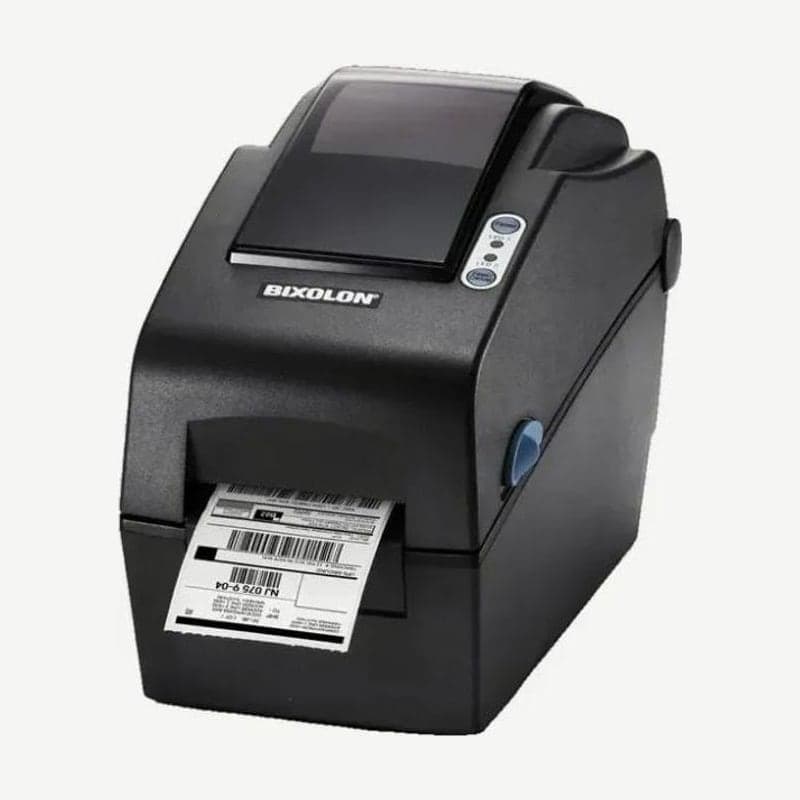
The SLP-DX220 is a Bixolon 2-inch direct thermal label printer 120 mm wide and weighing 1.36 kg. It prints at 203 dpi up to 54 mm wide at up to 152 mm/s (6 ips), and a single label can be up to 2,000 mm long.
The same body is chosen in four configurations depending on the connection method. Each configuration has different rear ports, so first decide whether the installation site uses wired LAN, wireless LAN, or mobile devices connecting by Bluetooth.
Connection configurations and cable lengths
| Configuration | Ports |
|---|---|
| Standard | USB, serial (RS-232C) |
| Ethernet | USB, Ethernet, USB host |
| Bluetooth | USB, USB host, Bluetooth |
| Wireless LAN (SLP-DX220W) | USB, USB host, built-in wireless LAN (802.11a/b/g/n) |
Use serial and USB Type B cables of 1.8 m or less, and LAN cables of 3 m or less, CAT-5 or better UTP. On the wireless LAN configuration, holding the FEED button for more than 3 seconds puts it in SWC (Simple Wi-Fi Connect) ready state (LED1 steady green, LED2 slow red blinking). When LED1 then blinks green and LED2 lights green, configure the network from the host device. If the settings are wrong, LED1 blinks amber, so enter SWC mode again from the start.
Standalone settings with two buttons
In standby, hold PAUSE for 2 seconds and both LEDs turn amber, then the 9 combinations below cycle through in order. Press FEED when the combination you want is lit, and that action runs.
| Order | LED1 | LED2 | Action |
|---|---|---|---|
| 1 | Green | Green, blinks 4 times | Print configuration |
| 3 | Green | Red, blinks 4 times | Factory reset |
| 4 | Amber | Green, blinks 4 times | Gap sensor auto calibration |
| 5 | Amber | Amber, blinks 4 times | Black mark sensor auto calibration |
| 6 | Amber | Red, blinks 4 times | Data dump mode |
After first installation, pressing FEED or sending a print command makes smart media detection use 3-5 labels to adjust to gap or black mark media on its own, so auto calibration 4 and 5 are for when the position is still off. If auto calibration feeds 1 m of media without finding the mark, it stops with an error; clear it by opening and closing the cover.
SLP-DX223 and options
If you need 300 dpi, choose the SLP-DX223; the print width becomes slightly wider at 56.9 mm (2.24 in) and the maximum speed drops to 4 ips.
With the peeler attached, the accepted media width is 15-58 mm, 2 mm narrower than the standard 15-60 mm. The auto cutter is turned on and off by command, and its default behavior is changed in Unified Label Utility-II.
The real-time clock option prints the date and time on labels. If the time keeps printing wrong, remove the bottom cover screws and replace the battery, and after replacing it, enter the date and time again in the utility.
For installation, install the driver from the SLP-DX220 driver download page, assign the port to match the connection configuration, and print a test page.



