
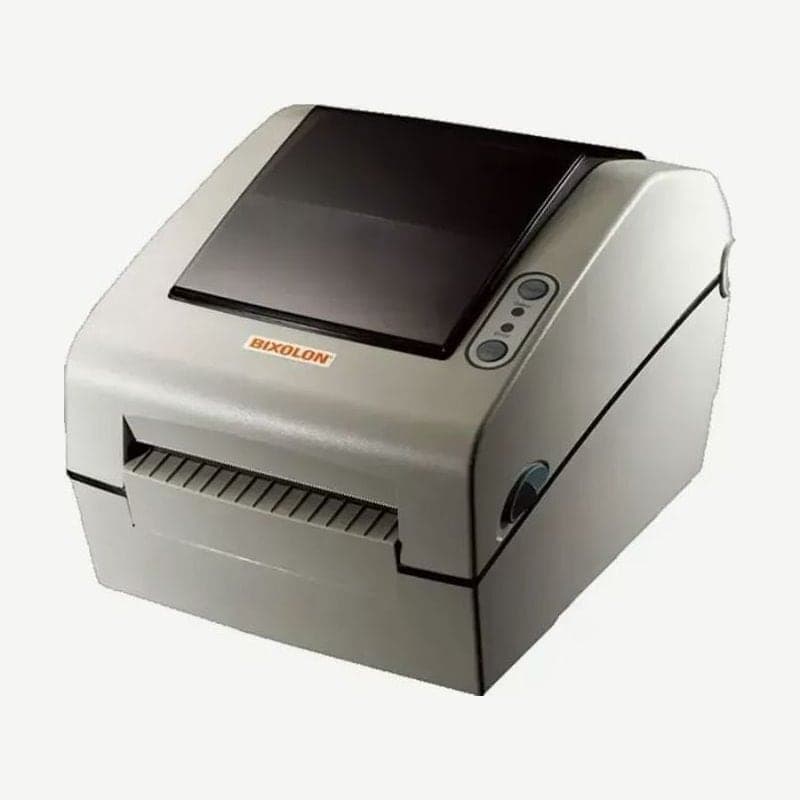
The SLP-D420 is a Bixolon 4-inch label printer that accepts direct thermal media up to 116 mm wide and prints up to 104 mm across. RS-232C, IEEE1284 parallel, and USB ports come standard on the back, so it connects without a converter even to PCs that print through a parallel port.
There is the 203 dpi base model and the 300 dpi SLP-D423, and if you need Ethernet, choose the SLP-D420E or D423E. Both resolutions print direct thermal only, with no ribbon.
SLP-D420 ports and media specifications
| Item | Details |
|---|---|
| Standard ports | RS-232C (screw lock), IEEE1284 parallel (clip lock), USB |
| Ethernet | SLP-D420E and D423E models |
| Media width | 25-116 mm |
| Roll | OD up to 130 mm, core 1-1.5 in |
| Speed (203 dpi) | DIP switch 1-1 ON 6 ips, OFF 5 ips |
The core inner diameter starts at 1 inch (25.4 mm), so rolls wound on a 0.5-inch core are outside the specification.
Auto cutter model
The auto cutter is a separate model installed at the factory. If the work requires cutting labels one at a time, choose the cutter model when purchasing; this model ships with DIP switch 1-7 set to ON (cutter present).
If 1-7 inside the bottom cover is changed to OFF, the printer operates as if it has no cutter and does not cut labels. The cutter works again only after setting 1-7 back to ON and turning the power on again, and media is loaded along the same path as on the model without a cutter. Do not touch the blade.
Switch combination for black mark media
DIP switch 1-6 normally selects between label stock (OFF) and continuous thermal paper (ON). Only when 2-3 is turned ON to switch to black mark detection is 1-6 used to select the mark side: OFF reads marks printed on the back, and ON reads marks printed on the print side. Print-side mark detection is optional.
Fanfold media and large rolls
Rolls up to 130 mm OD fit inside the unit. Folded (fanfold) media and larger rolls are fed through the opening made by cutting out the rear media supply cover with a knife; large rolls are hung on the external media supply, a separate optional part, and enter along the same path as fanfold media.
When to clean the sensors and roller
When print quality or media detection declines, clean the reflective sensor, gap sensor, platen roller, and media path. Turn the power off and remove the media, first brush off dust with a dry cloth or cotton swab, and wipe sticky residue with medical alcohol. Wait until the alcohol has completely dried, within 1-2 minutes, before turning it back on.
The Windows driver and user manual for the SLP-D420 are collected on the download page.



