
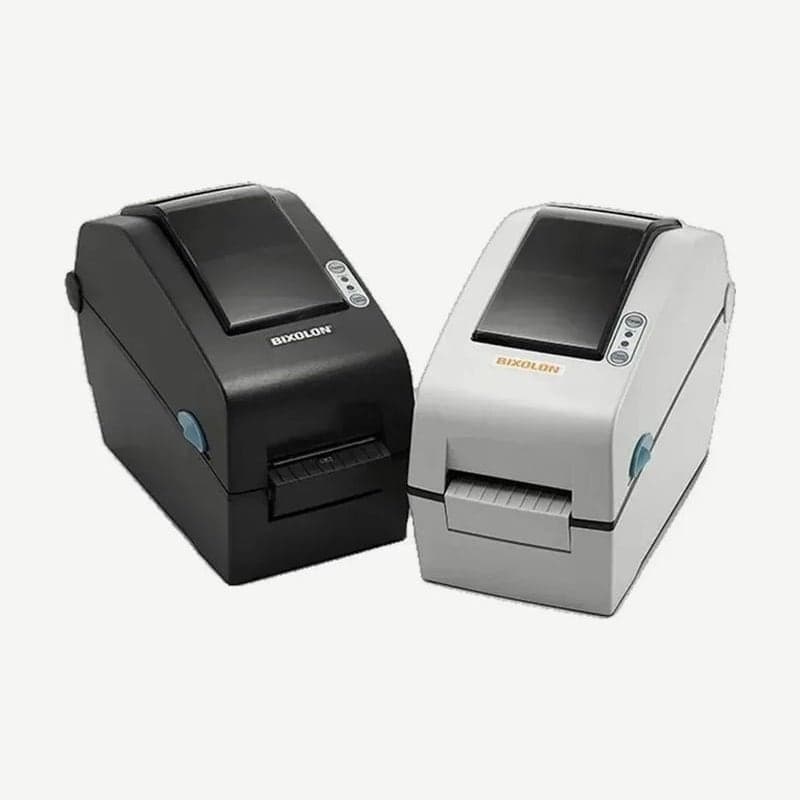
The SLP-D220 is a Bixolon 2-inch label printer that prints on direct thermal media without a ribbon. It prints at 203 dpi with a maximum print width of 54 mm, and speed is 6 ips (152 mm/s) with DIP switch 1-1 on and 5 ips with it off.
On this model, speed, darkness, media type, and emulation are set with DIP switch banks 1 and 2 (8 switches each) on the bottom of the unit. There is no display, but the settings are visible from the switch positions alone, so even the serial (RS-232C) baud rate can be changed to match existing equipment without a PC.
Settings by DIP switch
| Switch | OFF (up) | ON (down) |
|---|---|---|
| 1-1 Speed | 5 ips | 6 ips |
| 1-2 to 1-4 Darkness | 8 levels (6, 8, 10, 12, 14, 16, 18, 20) by combining the three | |
| 1-6 Media | Label stock | Continuous thermal paper |
| 1-8 Backfeed | Used | Not used |
| 2-1 and 2-2 Baud rate | Choose from 9,600 / 19,200 / 57,600 / 115,200 bps | |
| 2-3 Media sensing | Gap | Black mark |
| 2-5 Emulation | SLCS, EPL, ZPL | DPL |
| 2-8 Split printing of long labels | Not used | Used |
- Turn off the power switch.
- Turn the unit over, remove the DIP switch cover on the bottom, and move the switches with a fine-tipped tool such as tweezers.
- Close the cover and turn the power on; the new settings apply from that point.
Default settings saved with the Unified Label Utility take priority over settings sent by command. At sites where your own program sends media width and darkness by command, leave the utility defaults as they are.
Gap sensor auto calibration steps
- With the media loaded correctly and the media cover open, hold the FEED button and turn the power on; the green LED blinks.
- Close the cover, and one instruction sheet prints and the red LED lights.
- Press FEED twice to feed 2-3 labels in a row and set the gap sensor.
- Press it three times to feed 4-5 labels slowly, performing calibration and label length measurement together. Pressing it once clears the previous calibration and returns to factory defaults.
For special media whose gaps still cannot be read, enter the label length in mm in the utility's Calibration Setting Manager and save one of the detection values shown in bold.
Differences from the SLP-D223 and SLP-D220E
| Item | SLP-D220 | SLP-D223 |
|---|---|---|
| Resolution | 203 dpi (8 dots/mm) | 300 dpi (11.8 dots/mm) |
| Max print width | 54 mm | 56.9 mm |
| Max print speed | 152 mm/s (6 ips) | 100 mm/s (4 ips) |
Ethernet is only on the SLP-D220E and D223E, whose names end in E. On the two E models, DIP switch 0 determines whether Ethernet stays on during power saving.
Self-test printing and head cleaning
Hold FEED while turning the power on, and the control ROM version and DIP switch status print on one sheet. Press the button once within 2 seconds after printing finishes to enter hex dump mode, or twice to enter line print mode, which prints received data in sequence like a receipt. Self-test does not work while the peeler option is in use.
Clean the head every time you change the media roll. Turn the power off, let it cool for 2-3 minutes, wipe with a cotton swab moistened with medical alcohol, wait 1-2 minutes until the alcohol dries, and turn it back on.
Drivers and manuals are on the SLP-D220 driver download page. When creating layouts in Goodlabel Designer (free label design software), keep the width within the 54 mm print width.



