
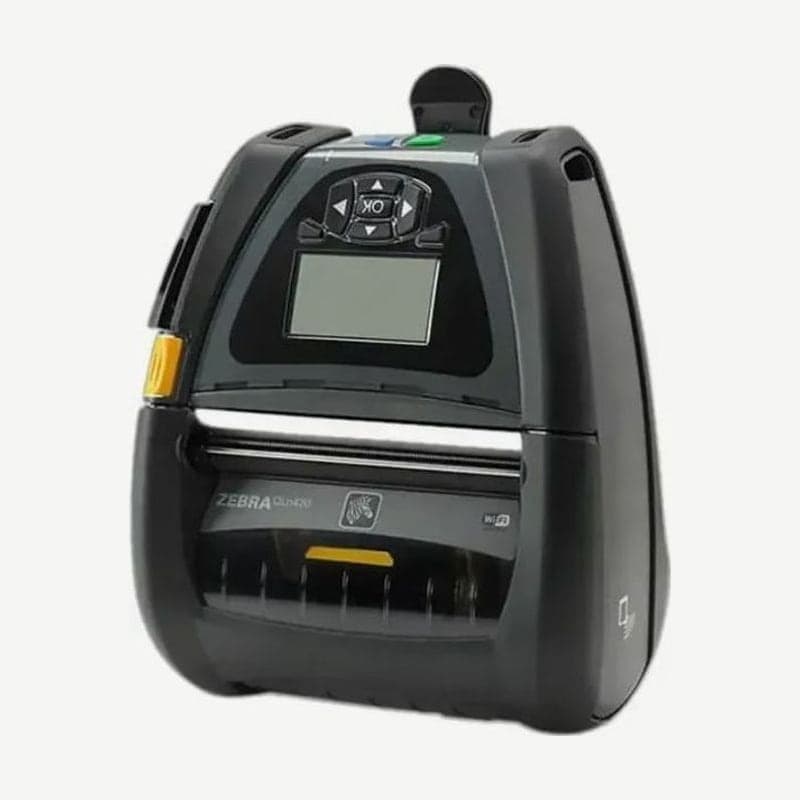
A 4-inch QLn for forklifts and warehouses
To mount the printer on a forklift and print pallet and box labels, there is a heavy-duty mount for the QLn420 and a DC converter that runs on forklift battery power. Media fits up to 51-112 mm wide and labels up to 0.190 mm thick.
It is 5% smaller in volume than the previous QL420. The unit measures 187 x 165 x 82.5 mm and has been tested with multiple drops to concrete from a height of 1.82 m.
End of sale dates by region
| Region | Last sale | Zebra end of support |
|---|---|---|
| North America | 2020-07-31 | 2025-12-31 |
| Europe, Middle East, and Africa | 2020-09-30 | 2025-06-30 |
| Asia-Pacific and Latin America | 2021-02-28 | 2025-12-31 |
The replacement model is the ZQ630 Plus, and drivers for existing QLn420 units are on the QLn420 downloads page.
Vehicle and forklift mounting accessories
On forklifts, it is mounted by combining a heavy-duty mount with a fanfold media tray, a plate for a RAM arm, and a detachable cradle. The DC converter runs and charges the printer from the forklift battery, and ordinary vehicles use an 8-18 V power supply with a cigarette lighter adapter.
A stand for use on a desk and a hard case for high-abrasion sites are also available as accessories. The print duty rating is 76,000 mm (3,000 inches) per day.
QLn420 peel mode and power button
For peel mode, close the cover, then lift the peeler lever on the side below the cover button and lock it in the up position. Most synthetic labels are soft and stick to the liner, so the peeler cannot separate them. Printing on synthetic media itself works, so print with peel mode off.
To turn the power on, press the button for 1.5-2.5 seconds and release when the display comes on. To turn it off, hold the button until it shuts off.
The battery is a 7.4 V PowerPrecision+ lithium-ion and takes up to 6 hours to fully charge. The recommended life is 300 full charge cycles, with a maximum of 600.



