
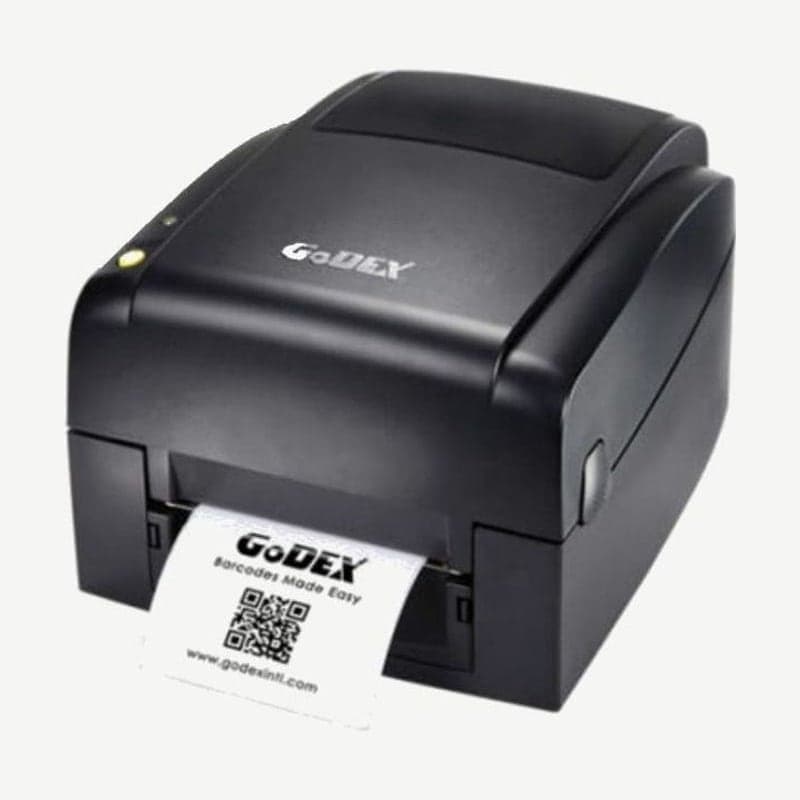
The NB010 is the model among the four Godex NB series models with 203 dpi and a single USB port. It prints up to 108 mm across at 127 mm/s (5 ips), in both thermal transfer and direct thermal.
Comparison of the 4 NB series models
| Model | Resolution | Speed | Print width | Max length | Ports |
|---|---|---|---|---|---|
| NB010 | 203 dpi | 5 ips | 108 mm | 1,727 mm | USB |
| NB020 | 203 dpi | 5 ips | 108 mm | 1,727 mm | USB, RS-232 |
| NB013 | 300 dpi | 4 ips | 105.7 mm | 762 mm | USB |
| NB023 | 300 dpi | 4 ips | 105.7 mm | 762 mm | USB, RS-232 |
Media and ribbon specifications, sensors, dimensions (285 x 171 x 226 mm), and the 2.72 kg weight are the same on all four models. If you attach it to one PC by USB, the NB010 is enough.
Print method by label material
Art paper, YUPO, PET, and matte silver polyester (Tetoron) labels are printed thermal transfer with a ribbon loaded. Direct thermal paper and YUPO direct thermal media are set to direct thermal on the media, without a ribbon.
The art paper labels offered with the NB010 range from the smallest, 21 x 12 mm, up to 100 x 55 mm; for sizes, contact Wooju OA (info@woojuoa.co.kr, +82-2-703-0332).
Media width 118 mm and print width 108 mm
Accepted media width is 25.4-118 mm, and the width the head prints is 108 mm. If you load 118 mm wide media, 10 mm is outside the print area.
Media thickness is 0.06-0.25 mm, and rolls up to 127 mm OD fit inside the unit. Larger rolls go on the external holder (optional), which takes rolls up to 250 mm OD.
Reading errors from the three-color indicator
The NB010 control panel consists of just one indicator that changes among green, amber, and red and one FEED button. Errors are distinguished by color and the number of blinks.
| Indicator | Status |
|---|---|
| Red, blinks twice, 2 times | No media, media used up |
| Amber, lights twice, 2 times | Media jam (label wrapped around the rubber roller, sensor position off) |
| Amber changing to red, twice, 3 times | Set to thermal transfer mode without a ribbon |
| Red, 5 slow blinks (2 then 3) | Memory error |
| Red, continuous slow blinking | Head overheat |
| Red, steady | Top cover not fully closed |
The driver shared by the NB010 and NB013 is on the NB010 download page. Layouts for the NB010 are drawn in the free Goodlabel Designer (free label design software).



