
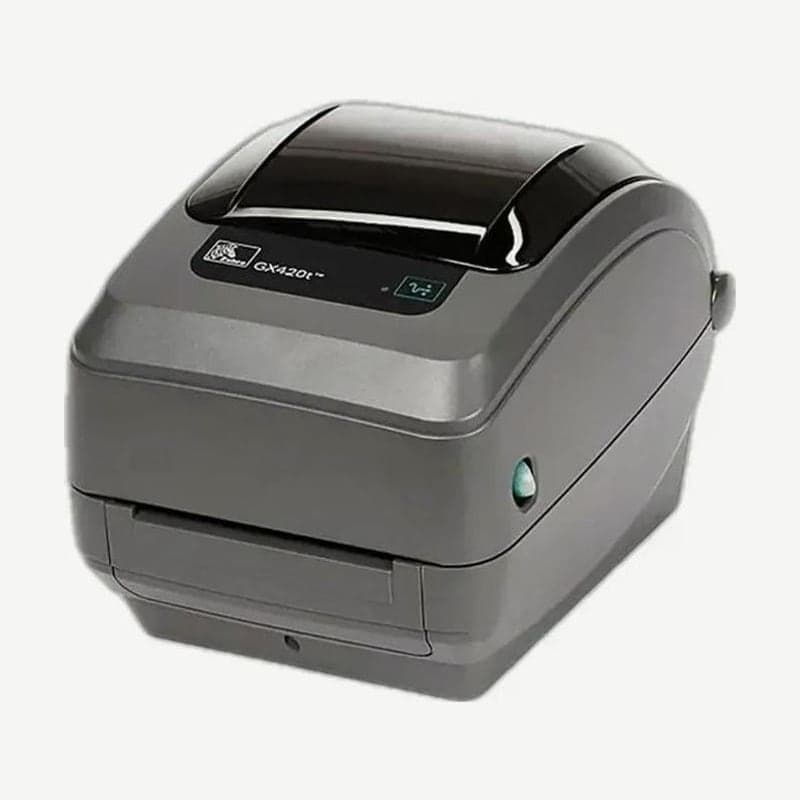
The GX420t LCD, found only on wireless options
The GX420t is a 4-inch thermal transfer and direct thermal printer that prints at 203 dpi up to 6 ips (152.4 mm/s). The base model has no display; only units with the factory-installed Wi-Fi (802.11b/g) or Bluetooth option have an LCD showing status and 2 buttons, scroll and select, alongside the FEED button.
Display settings are backlight on or off, timeout of 10, 20, or 30, and contrast levels 1-7 (default 4). Display languages are 12, with English as default plus Spanish, French, German, and others; Korean is not on the list.
Items chosen on the display and view-only items
| Menu | Default | Selection range |
|---|---|---|
| Baud rate | 9600 bps | 10 options from 300-115200 bps |
| Data bits and parity | 8 bits, none | 7 or 8 bits; none, even, or odd |
| Flow control | DTR & XON/XOFF | XON/XOFF, DSR/DTR, RTS/CTS |
| Media (view only) | GAP | GAP, MARK, RECEIPT |
| Ribbon (view only) | YES | YES, NO |
| Speed (view only) | 6 IPS | 2-6 IPS |
| ZPL darkness (view only) | 10.0 | 0.0-30.0 |
The 5 items in the Wi-Fi menu, IP address, gateway, subnet, security type (default OPEN), and ESSID, are also view only on the display. These settings are changed with SGD (Set/Get/Do) commands or on the print server web page.
Bluetooth 2.0 SPP connection steps
The Bluetooth option is version 2.0 and communicates with Windows PCs only through SPP, a virtual serial port. Factory settings are discoverable ON and authentication OFF.
- First connect the printer to the PC with a USB or serial cable, install it with Zebra Setup Utilities, and check that one configuration label prints.
- In Configure Printer Connectivity, choose Bluetooth, enter the printer name, and click Finish; the printer restarts and applies the new settings.
- In Windows Add Printer, create a Bluetooth Printer Port as a new port, choose the discovered printer, and assign the ZDesigner driver.
If adding the printer does not finish because the PC's Bluetooth dongle does not handle SPP printing properly, install over USB or serial first and then change only the port to the SPP COM port. When a laptop's built-in Bluetooth shares its radio with Wi-Fi, first check whether turning off Wi-Fi also turned off Bluetooth.
The successor ZD621t, now with a Wi-Fi 6 option
Per Zebra's schedule, Asia-Pacific end of sale is December 31, 2021 and end of support February 28, 2025; for North America, Europe, and Latin America, January 31, 2022 and April 30, 2025. The designated successor, the ZD621t, is faster at 203 dpi up to 8 ips, and its wireless options changed to Wi-Fi 6 (802.11ax) + Bluetooth 5.3 or Wi-Fi 5 (802.11ac) + Bluetooth combinations. Drivers are on the GX420t download page.



