
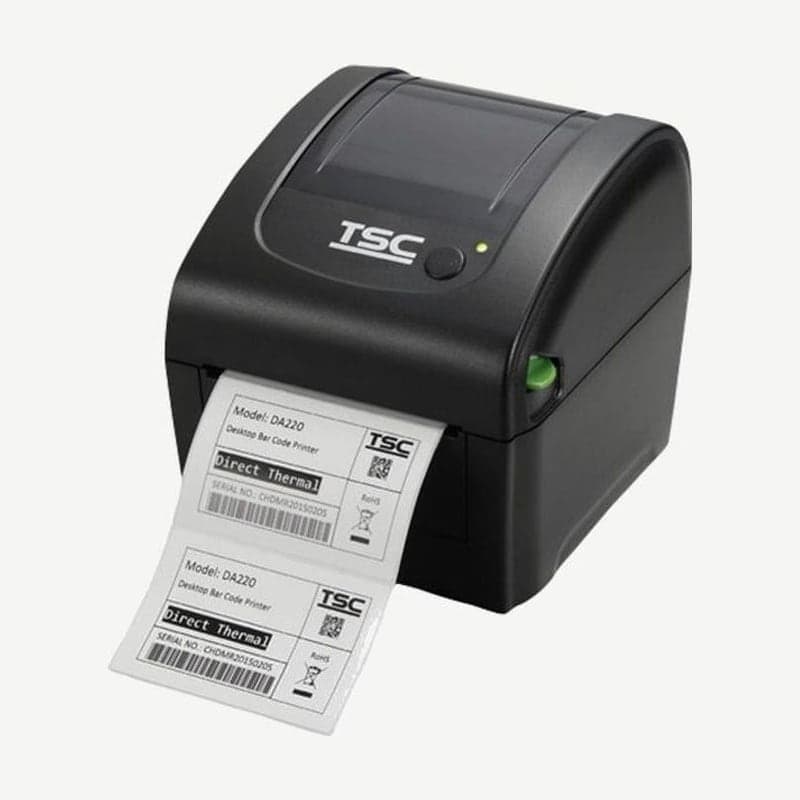
The DA220 is a TSC 4-inch desktop printer that prints direct thermal labels only, without a ribbon. The included external power supply complies with IEC 60601-1, the safety standard for medical electrical equipment, and TSC lists specimen labels, pharmacy labels, and patient tracking as uses for this model.
The unit is 172 mm wide, 195 mm deep, and weighs 1.5 kg, with a double-wall plastic clamshell housing. It prints at 203 dpi at up to 152.4 mm per second and up to 108 mm wide.
Differences between the DA210 and DA220
| Item | DA220 | DA210 |
|---|---|---|
| Interfaces | USB 2.0, USB host, RS-232, Ethernet | USB 2.0 |
| Memory | 128 MB flash, 64 MB DRAM | 8 MB flash, 16 MB DRAM |
| Max print length | 25,400 mm | 2,794 mm |
| Peel-off module and cutter (dealer option) | Available | Not available |
To print from several PCs in a ward or pharmacy to one printer, choose the DA220 with Ethernet. The RS-232 port connects user options such as the KP-200 Plus keyboard display unit or the KU-007 Plus keyboard.
Media specs and sensor requirements
Media width is 19-114 mm, thickness is 0.055-0.19 mm, and labels are accepted from 10 mm long. The gap between labels must be 2 mm or more, and black marks must be at least 2 mm high and 16 mm wide for the sensor to read them. Continuous, die-cut, black mark, external fan-fold, and receipt media are supported.
After changing media, calibrate the sensor as follows.
- Turn off the power switch.
- Hold down the FEED button and turn on the power switch.
- Release the button while the LED changes from orange to red and blinks 5 times to calibrate the gap and black mark sensor sensitivity.
- To calibrate with the black mark sensor fixed, release when the LED blinks green/orange 5 times; to calibrate with the gap sensor fixed, release when it blinks red/orange 5 times.
Peel-off module and cutter
With the peel-off module, a dealer option, labels come out separated from the liner. In this mode, speed drops to 2-3 ips, label length is 1-6 in, and the operating environment for peeler mode is 40°C and 45% humidity. The guillotine cutter comes in two types: full cut and partial cut.
Head cleaning in healthcare settings
Clean the head every time you change the label roll. Turn off the power, let the head cool for at least 1 minute, and wipe the head surface with a cotton swab moistened with 100% ethanol or isopropyl alcohol. Medical alcohol damages the head, so do not use it to clean the DA220 head.
Clean the platen roller with water while rotating it, with the power off, when you change the roll, and remove dust from the sensors once a month with compressed air or a vacuum cleaner.
The driver and manual are on the DA220 driver download page, and label layouts are created by selecting the DA220 driver in Goodlabel Designer (free label design software).



