
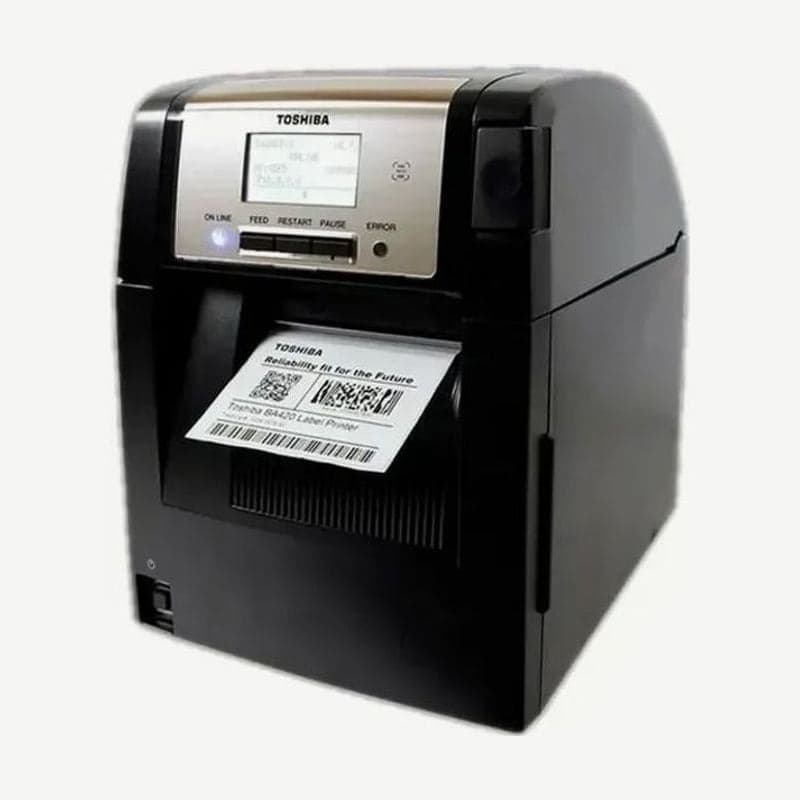
The BA420 is the plastic-case model of the Toshiba BA400 series, released for tight spaces such as offices and stores. It weighs 12 kg and takes media rolls up to 152.4 mm OD.
The cover opens upward and supplies are loaded from the top, so little space is needed at the sides. With media and ribbon loaded, the footprint is about one sheet of A4 paper.
BA420 standard ports and option boards
| Type | Port | Details |
|---|---|---|
| Standard | USB 2.0 High Speed | 480 Mbps, separate Type A port for host |
| Standard | LAN | 10/100BASE, RJ-45, up to 100 m on UTP Category 5 |
| Standard | Bluetooth | V2.1+EDR, Class 2, 3 m range |
| Standard | NFC | For Bluetooth pairing |
| Optional | RS-232C | BA700-RS-QM-S, up to 115200 bps |
| Optional | Wireless LAN | BA700-WLAN-QM-S, 802.11 a/b/g/n, 2.4/5 GHz |
| Optional | Parallel | BA700-CEN-QM-S (Centronics) |
To print directly from a phone or tablet, pair Bluetooth using NFC. Bluetooth is for distances within 3 m, so when several distant PCs share it, connect by wired LAN or a wireless LAN board.
4 speed settings
Speed is chosen from 2, 4, 6, and 8 ips, and the top speed is 8 ips (203.2 mm/s) at both 203 dpi and 300 dpi. In thermal transfer mode, selecting 2 ips actually prints at 3 ips.
BA420-specific cutter and strip modules
The BA420 cutter is the BA204P-QM-S and the strip module is the BA904P-H-QM-S. The part numbers for the metal BA410 differ, BA204-QM-S and BA904-H-QM-S, so choose the part numbers with P when ordering. Both modules fit inside the front cover, so the unit does not get larger.
For strip mode, peel off the first labels leaving 300 mm of liner, then feed the liner under the feed roller and out through the gap in the front cover.
What to prepare before installation and power operation
The BA420 does not include a power cord, so prepare a separate 3-pin grounded cord that meets the safety standards of the country of installation. Turn the power on and off by pressing the switch for about 3 seconds; do not turn it off by unplugging the cord.
Labels made in Goodlabel Designer (free label design software) print through the Toshiba universal driver on the BA420 download page.



