
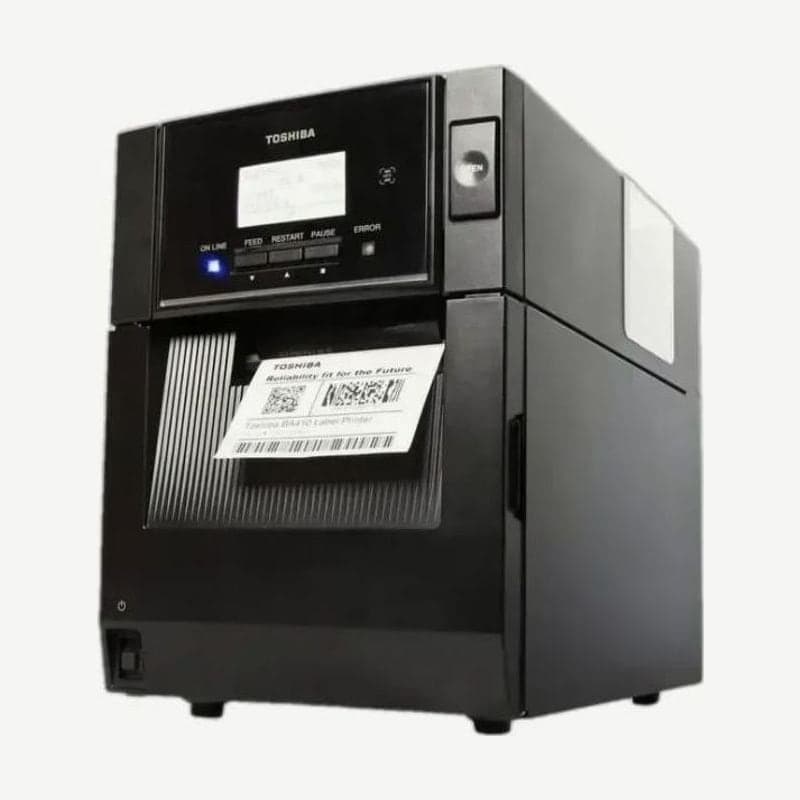
The BA410 is the metal-case model in the Toshiba BA400 series, used at industrial sites such as factories. Both the 203 dpi BA410T-GS12 and the 300 dpi BA410T-TS12 print at up to 203.2 mm/s (8 ips).
The unit weighs 15 kg and takes media rolls up to 200 mm OD and ribbons up to 450 m. Its roll capacity is about 48 mm larger than the plastic BA420 in the same series.
Media loading steps
- Open the top cover fully and, with the upper sensor block closed, take out the media holder assembly.
- Fit the shaft into a roll on a 38, 40, 42, or 76.2 mm core and push the left holder against it, and the roll is centered.
- Put the holder assembly back, open the sensor block, pull the media forward, and set the 2 guides to the media width.
- Lower the block until the upper sensor lever clicks into place. If it is not fully locked, paper jams or poor printing result.
Aligning the feed gap sensor and black mark sensor
The feed gap sensor, which reads the gap between labels, is a pair of 2 sensors, upper and lower. For labels without black marks, use the lower tab to place the sensor at the center of the label width, and the upper tab to line up the upper sensor with the lower one. If the 2 are misaligned, a PAPER JAM error appears.
For black mark media, align the black mark sensor with the center of the mark on the back. Whether the media has run out is still read by the 2 gap sensors, so keep the upper and lower sensors aligned in this case too.
Head position levers by thickness
For labels and thin media, move the 2 left and right levers forward; for tag stock and thick media, move them back. The two levers must point the same way for printing not to fade, and leaving one in the middle blocks the head position shaft so the top cover does not close.
BA410 display error messages
| Message | Cause | Action |
|---|---|---|
| HEAD OPEN | Top cover open | Close the cover and RESTART |
| COVER OPEN | Issued with the front cover open | Close the front cover and RESTART |
| PAPER JAM | Media jam, sensor type or position mismatch, media differing from the set size | Reload the media and align the sensor position, then RESTART; if the sensor type was wrong, turn the power on again and resend with the correct sensor |
| NO PAPER | Media out, media slack | Load new media or wind in the slack media, then RESTART |
| RIBBON ERROR | Ribbon out, ribbon feed fault | Replace the ribbon, then RESTART |
| EXCESS HEAD TEMP | Head overheated | Turn the power off and let it cool for about 3 minutes |
Create layouts to send to the BA410 in Goodlabel Designer (free label design software), and use the Toshiba universal driver on the BA410 driver page.



