
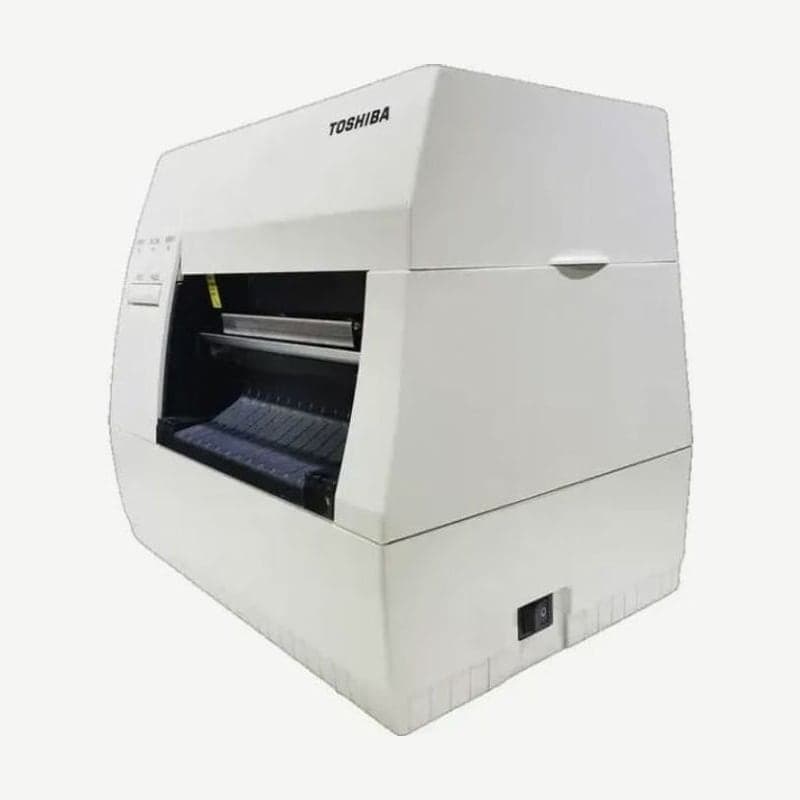
The Toshiba TEC B-462 is a desktop label printer released for the Chinese market, with a printhead resolution of 300 dpi (11.8 dots/mm). This page is based on model number B-462-TS22-CN-R, which prints up to 105.7 mm wide at 101.6 mm/s (4 ips).
In the model number, T means the 300 dpi printhead, S means batch issue, CN means the China version, and the final R indicates RoHS compliance. Power is rated 220-240 V, 50 Hz.
Similarities and differences with the B-452-TS22-QP-R
| Item | B-462-TS22-CN-R | B-452-TS22-QP-R |
|---|---|---|
| Printhead and speed | 300 dpi, 101.6 mm/s (50.8 mm/s for serialized barcodes and 2D codes) | |
| Unit size | 270 W x 245 H x 200 D mm (410 mm deep with media holder) | |
| Weight (without media and ribbon) | 4.7 kg | 5.2 kg |
| Optional ports | RS-232C, expansion I/O | RS-232C, expansion I/O, wireless LAN |
| Chinese fonts | Simplified 24 x 24 built in | — |
| Windows driver name | TEC B-462-R | TEC B-452-R |
Both models have the same 3 standard ports: USB 2.0 Full Speed, LAN, and Centronics parallel. For sites that must connect wirelessly, the B-452-R, which has a wireless LAN board (B-SA704-WLAN-QM-R), is the choice.
Label spacing and media thickness by mode
| Mode | Label pitch | Gap length | Thickness |
|---|---|---|---|
| Batch | 15.0-999.0 mm | 2.0-20.0 mm | 0.1-0.17 mm |
| Strip (optional) | 25.4-999.0 mm | 2.0-20.0 mm | 0.13-0.17 mm |
| Cut (optional) | Separate type 37.0-999.0 mm, continuous type 25.4-999.0 mm | 6.0-20.0 mm | 0.1-0.17 mm |
In cut mode, use media with a gap of 6 mm or more between labels. Label width is 22.4-111.0 mm, and the width including the liner is 25.4-114.0 mm.
Direct thermal paper and preprinted ink conditions
Direct thermal media must have 800 ppm or less sodium ions, 250 ppm or less potassium ions, and 500 ppm or less chloride ions so that printhead life is not shortened. When using preprinted labels, avoid inks containing hard components such as calcium carbonate (CaCO3) or kaolin.
Steps for clearing a cutter jam
- Turn off the power and unplug the power cord.
- Press the cutter cover release lever and remove the cover.
- Insert a hex wrench on the right side of the cutter unit, and remove the jammed media while turning the blade by hand.
- Wipe the blade with a dry cloth and close the cover by following the steps in reverse.
The optional cutter B-7204-QM-R is a rotary type that stops and then cuts. It also jams when the blade wears or label adhesive remains, so use only media within specification, and send it for repair if jams are frequent.
The driver is included in the Toshiba TPCL universal driver as 'TEC B-462-R' and is downloaded from the B-462 downloads; choose this name in the Goodlabel Designer (free label design software) print dialog.



