
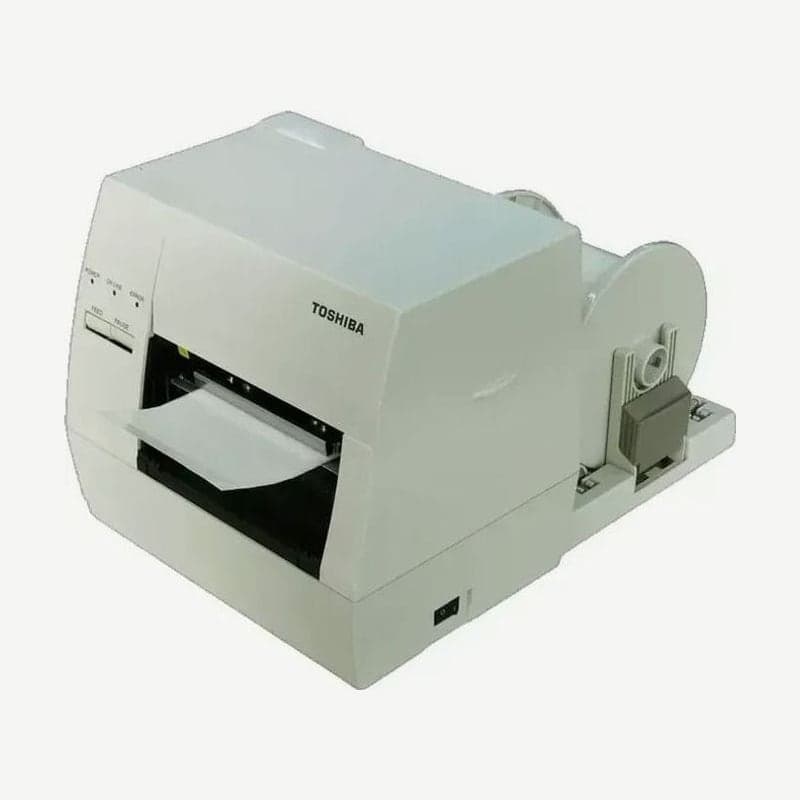
The B-452 is a Toshiba TEC 300 dpi (11.8 dots/mm) desktop label printer. It prints up to 105.7 mm wide at up to 101.6 mm/s (4 ips), with a print length of 15-500 mm per label.
Units of different generations share the B-452 name. The B-452-TS22-QQ/QP-R, whose nameplate model number ends in -R, differs from the early model in the 1999 brochure in connection ports, media width, and weight.
Differences between the early model and the B-452-TS22-R
| Item | Early model (1999 brochure) | B-452-TS22-R |
|---|---|---|
| Standard ports | RS-232C serial, Centronics parallel (optional on QQ) | USB 2.0 Full Speed, LAN, Centronics parallel |
| Optional ports | LAN board, expansion I/O board | RS-232C board, wireless LAN board, expansion I/O board |
| Media width | 47-114 mm | 25.4-114 mm (including liner) |
| Roll OD | Up to 150 mm | Up to 152.4 mm, cores 38, 40, 42, 76.2 mm |
| Weight | 4.7 kg | 5.2 kg |
To plug directly into a current PC by USB, it must be the R model. For both generations, the Windows driver name is 'TEC B-452', and this single driver covers the TS10, TS11, TS12, and TS22-R model numbers.
The R model slows to 50.8 mm/s (2 ips) when printing barcodes with incrementing serial numbers and 2D codes.
Label length by issue mode
| Mode | Label length | Required part |
|---|---|---|
| Batch (continuous) | 13.0-997.0 mm | Standard |
| Strip (peel-off) | 23.4-997.0 mm | Strip module |
| Cut | 31.0-993.0 mm | Cutter module |
The cutter module cuts the liner between labels. Cutting through a label makes glue stick to the blade, lowering cut quality and blade life, and tag stock thicker than the specified 0.17 mm also shortens blade life.
R model self-diagnostic printing
- Hold the PAUSE key and turn the power on to start the diagnostic.
- When the diagnostic finishes, choose the print method: FEED key once for thermal transfer, PAUSE key once for direct thermal.
- After the maintenance counter and diagnostic results print, press the FEED key to continue with a test print.
Whether LAN is used is changed in the extended setting mode, entered by holding the FEED key for 3 seconds or more at power-on. Use the PAUSE key to choose LAN off, LAN on with SNMP on, or LAN on with SNMP off, and hold the FEED key again for 3 seconds or more to save.
The Toshiba universal driver is available in the B-452 downloads. Layouts made in Goodlabel Designer (free label design software) are sent through this driver to print.



