
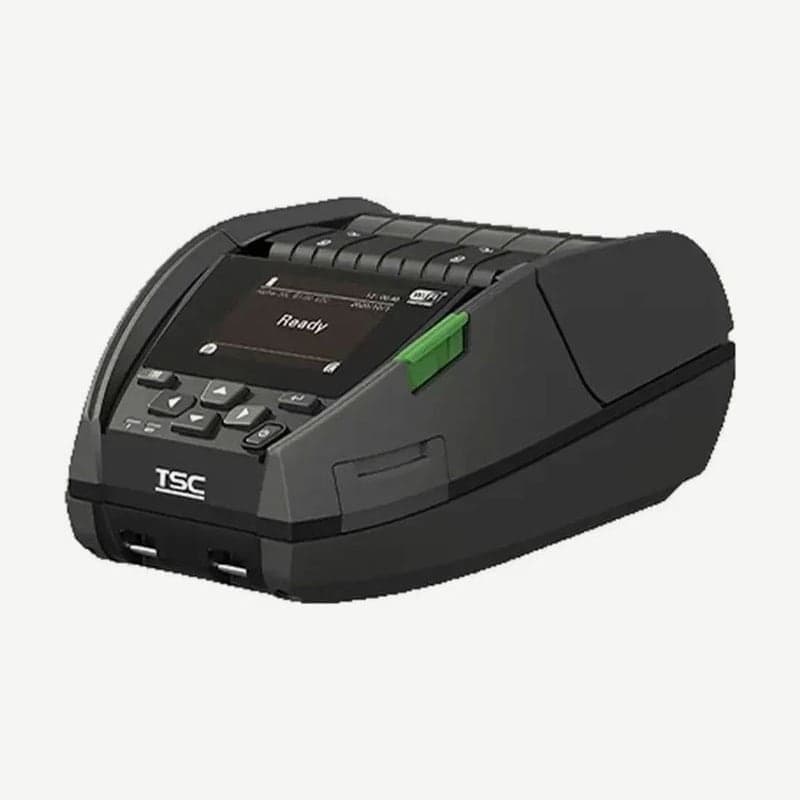
The Alpha-30L is a TSC 3-inch mobile label printer that prints up to 72 mm wide and weighs 745 g with the battery installed. It is 240 g lighter and 43 mm narrower than its 4-inch sibling, the Alpha-40L, so it suits printing store shelf labels or receiving labels while hung on the included belt clip.
It is direct thermal only, so it prints without a ribbon at up to 127 mm per second. It is rated IP54 without a case and has passed 1.8 m drop and 1.0 m tumble tests.
Run time and charging of the 3,030 mAh battery
The standard battery is a 7.4 V 3,030 mAh lithium-ion smart battery. It lasts 23.5 hours at a 12.5% print ratio, receiving one label over Bluetooth every 2 minutes.
Charging with the AC adapter plugged into the power jack on the unit takes 3.5-5 hours. The battery indicator stays orange while charging, and when the battery is full the indicator turns off and charging stops. Turn off the printer before plugging in the adapter, and do not remove the battery during charging.
The charging temperature range is 0-40°C. If the surroundings approach 40°C or the printer is charged while turned on, charging pauses for a while to protect the battery and then resumes.
Alpha-30LHC for healthcare settings
The Alpha-30L has a hospital variant, the Alpha-30LHC. It keeps the 203 dpi, 127 mm per second, 72 mm print width, and 745 g, and its exterior is white and gray. The housing is made of antimicrobial material, and the buttons are sealed so they can be wiped with disinfectant. The included power adapter is certified to IEC 60601-1, the safety standard for medical electrical equipment.
Bluetooth pairing with a phone
- Press the power key for 2-3 seconds to turn on the printer.
- Turn on Bluetooth on the phone and select the printer's local name from the list to connect.
- To confirm that the name in the list is this printer, compare it with Menu → Interface → Bluetooth → Local Name on the printer.
- When the connection is complete, the Bluetooth logo appears on the 2.3 in color LCD.
Bluetooth is Apple MFi certified 5.0, and pairing also works by touching the phone to the NFC touch point on the front of the unit. If you need wireless LAN (802.11 a/b/g/n/ac), choose the wireless LAN model when ordering. The USB-C port only communicates with a PC and does not charge.
Media specs and peeler mode
Media width is 25.4-80 mm including the liner, thickness is 0.06-0.16 mm, and rolls up to 67 mm outer diameter fit. The standard core is 12.7 mm, and separate adapters are fitted for 19.1 mm and for 25.4 mm + 38.1 mm cores.
Peeler mode, which peels off labels one at a time as they print, is used for labels 25.4-152.4 mm long. Pass the media through the peeler module, pull it taut, press the module to lock it, and select Peeler Mode under Setting → Print Mode.
Driver and label software
The Windows driver and manual are on the Alpha-30L driver download page. On a PC with the driver installed, create layouts that fit within the 72 mm width in Goodlabel Designer (free label design software, Windows 10 or later) and send them to the printer.



